


How to Know When You Need a Professional Laptop Repair Shop Near Me
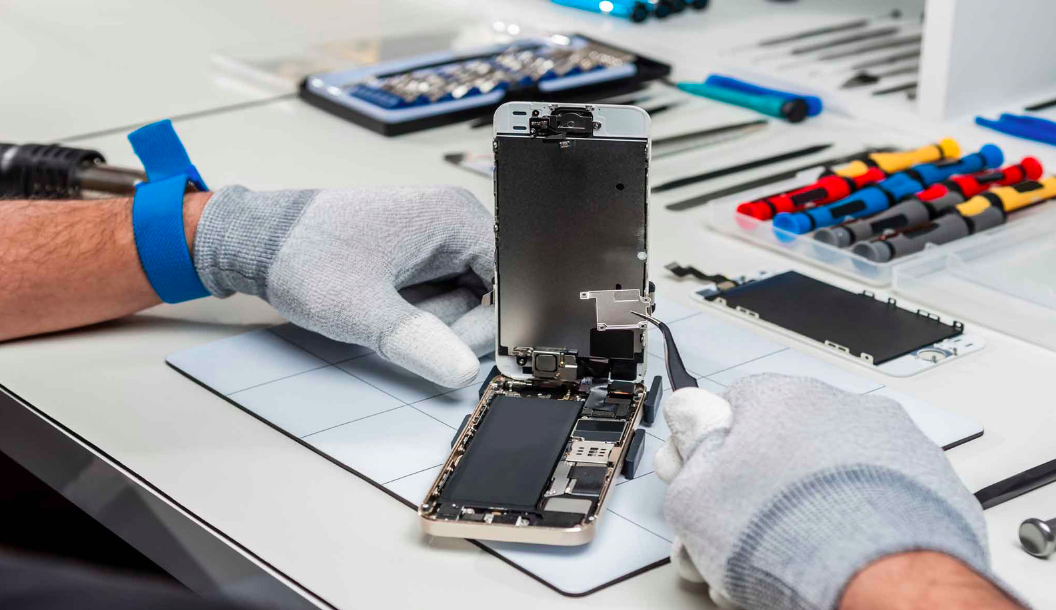
A laptop is an important part of daily life for many people in Dubai. Students use laptops for classes and assignments, professionals depend on them for work, and businesses use them for communication, meetings, documents, and other daily tasks. Because laptops are used so frequently, even a small problem can affect productivity.
Some laptop issues can be solved with simple troubleshooting, while others require professional attention. Knowing when to visit a repair shop can help prevent a small problem from becoming more serious.
If you are searching for a laptop repair shop near me, understanding the common warning signs can help you decide when professional laptop repair may be necessary.
Your Laptop Is Running Slowly
A noticeable decrease in laptop performance is one of the most common signs that something needs attention.
A laptop may take longer to start, applications may open slowly, and simple tasks can become frustrating. Several factors can cause slow performance, including limited storage, too many background applications, software problems, insufficient memory, or aging hardware.
You can start by removing unnecessary files, closing unused applications, and checking available storage. If the laptop remains slow after basic troubleshooting, professional diagnosis can help identify the underlying cause.
A technician can check the storage drive, memory, operating system, and other hardware components to determine what is affecting performance.
Your Laptop Keeps Freezing
Occasional software problems can happen, but frequent freezing should not be ignored.
A laptop may become unresponsive when opening applications, browsing websites, working with large files, or performing other everyday tasks.
Repeated freezing can be caused by software conflicts, overheating, storage problems, memory issues, or hardware faults.
If restarting the laptop only solves the problem temporarily, a professional technician can inspect the system and identify why the problem keeps returning.
Your Laptop Is Overheating
Laptops naturally become warm when handling demanding tasks such as video editing, gaming, large file transfers, or other intensive applications. However, excessive heat during normal use can indicate a problem.
Dust inside the cooling system, blocked ventilation, fan problems, or demanding background processes can cause overheating.
Dubai's warm climate makes it especially important to keep laptops in suitable environments. Avoid leaving a laptop inside a parked car or using it directly under strong sunlight.
If the laptop becomes unusually hot, shuts down unexpectedly, or becomes slower when it heats up, professional inspection can help identify the cause.
The Battery Does Not Last Long
Laptop batteries lose capacity over time. If your laptop once lasted several hours but now requires frequent charging, the battery may be reaching the end of its useful life.
Other signs can include sudden shutdowns, inaccurate battery percentages, or a laptop that works only when connected to the charger.
A technician can check the battery condition and determine whether replacement is appropriate.
If the battery appears swollen or the laptop case begins to separate, stop using the device and seek professional assistance. A swollen battery can be a safety concern and should not be opened or pressed at home.
Your Laptop Is Not Charging
Charging problems can prevent you from using a laptop normally.
The problem may come from the charger, charging cable, power adapter, charging port, battery, or internal hardware.
Before assuming the laptop needs repair, you can check whether the charger is connected properly and whether the power outlet is working.
If the laptop still does not charge, professional diagnosis can identify the actual cause. This can help prevent unnecessary replacement of parts that are still working correctly.
The Screen Has Display Problems
A laptop screen can develop several types of problems.
You may notice flickering, lines, dark areas, unusual colors, brightness problems, or a display that turns off unexpectedly.
Physical damage can occur after a laptop is dropped or the screen is placed under pressure. Internal display cables can also become damaged or disconnected.
A professional technician can inspect the display and related components to determine whether the problem involves the screen panel, display cable, graphics system, or another component.
Keyboard Keys Stop Working
A laptop keyboard is essential for work and study, so faulty keys can quickly become inconvenient.
Keys may stop responding, become difficult to press, or behave differently from normal. Dust, liquid exposure, physical damage, and general wear can contribute to keyboard problems.
If only one key is affected, cleaning may sometimes help. However, if several keys stop working or liquid has entered the keyboard, professional inspection is recommended.
A technician can determine whether the keyboard needs cleaning, repair, or replacement.
Touchpad Problems
The touchpad allows you to control the laptop without an external mouse. Problems with clicking, movement, or gestures can make everyday tasks difficult.
A touchpad may stop responding because of software issues, hardware damage, or battery related problems.
If the touchpad becomes raised or difficult to click, do not continue pressing it forcefully. In some laptops, battery swelling can put pressure on the touchpad from underneath.
Professional inspection can help identify the cause and determine the correct repair.
Your Laptop Does Not Turn On
A laptop that suddenly refuses to start can have several possible causes.
The battery may be completely discharged, the charger may have failed, or an internal component may have developed a fault.
Other possible causes include problems with the display, power system, storage, memory, or motherboard.
Instead of repeatedly trying to start the device, a technician can perform diagnostic checks to identify where the problem is located.
Unusual Sounds From the Laptop
Most modern laptops operate relatively quietly. If you suddenly hear unusual sounds, it is worth paying attention.
Fan noise can increase when the laptop is under heavy load, but grinding, clicking, or other unfamiliar sounds may indicate a hardware problem.
Older laptops with mechanical hard drives can also produce unusual sounds when the drive begins to fail.
If you hear repeated clicking or grinding, back up important data if possible and seek professional assistance.
Liquid Damage
Liquid spills can cause serious laptop problems.
Water, coffee, juice, and other liquids can enter through the keyboard, ports, and ventilation openings. Even when the laptop continues working immediately after a spill, internal corrosion may develop later.
If liquid is spilled on your laptop, disconnect the charger and avoid repeatedly turning the device on.
Professional inspection can help determine whether internal components have been affected and what repair options may be available.
Your Laptop Has Storage Problems
Limited storage can affect laptop performance and everyday use.
You may receive warnings about low storage, experience slower performance, or have trouble installing software and saving files.
Removing unnecessary files and transferring large data to suitable storage can help.
However, if the laptop shows errors while accessing files or the storage drive behaves unusually, professional diagnosis may be important.
Regularly backing up important files is also recommended, especially for business users and students who depend on their laptops for important work.
When You Should Visit a Laptop Repair Shop
Not every laptop issue requires professional repair. A temporary software error or application problem may be resolved with basic troubleshooting.
Professional assistance becomes more important when the problem happens repeatedly, involves physical or liquid damage, affects important hardware, or prevents the laptop from working normally.
A proper diagnosis can help identify the actual cause before any component is replaced.
Choosing a Laptop Repair Shop Near Me in Dubai
When searching for a laptop repair shop near me in Dubai, consider the repair service's experience, diagnostic process, parts quality, warranty information, and communication.
A reliable repair service should explain the problem clearly and provide an estimate before starting significant repair work.
It can also be useful to ask how long the repair may take and whether your important data will be protected during the process.
For customers in Dubai, Techfix.ae provides laptop and computer repair services for different types of devices. Customers can discuss their laptop problem and understand the available repair options before approving the work.
How to Protect Your Laptop
Good maintenance can help reduce the risk of common laptop problems.
Keep your laptop in a clean and well ventilated area. Avoid using it on soft surfaces that can block ventilation openings.
Keep liquids away from the device and avoid exposing it to excessive heat. Use a suitable laptop bag when carrying it outside.
Maintain enough free storage and remove applications or files that you no longer need.
Most importantly, back up important documents, photos, business files, and other data regularly. A backup can protect your information if the laptop develops a serious hardware problem.
Final Thoughts
Knowing the warning signs of laptop problems can help you decide when professional assistance is needed. Slow performance, frequent freezing, overheating, battery problems, charging issues, display faults, keyboard problems, unusual sounds, liquid damage, and startup failures can all indicate that your laptop needs attention.
For people in Dubai searching for a laptop repair shop near me, choosing a service that provides proper diagnosis, clear pricing, careful handling, and suitable repair options can make the process easier.
Taking care of your laptop and addressing problems early can help extend its useful life. If your laptop is showing persistent issues, Techfix.ae can help customers in Dubai understand their repair options and get professional assistance when their device needs attention.

 English
 French
 Spanish
 Portuguese
 Deutsch
 Turkish
 Dutch
Dutch
 Italiano
 Russian
 Romaian
 Portuguese (Brazil)
 Greek
Greek