


How to Optimize Slow SQL Queries: A 4-Step Tutorial for Data Analysts and Engineers
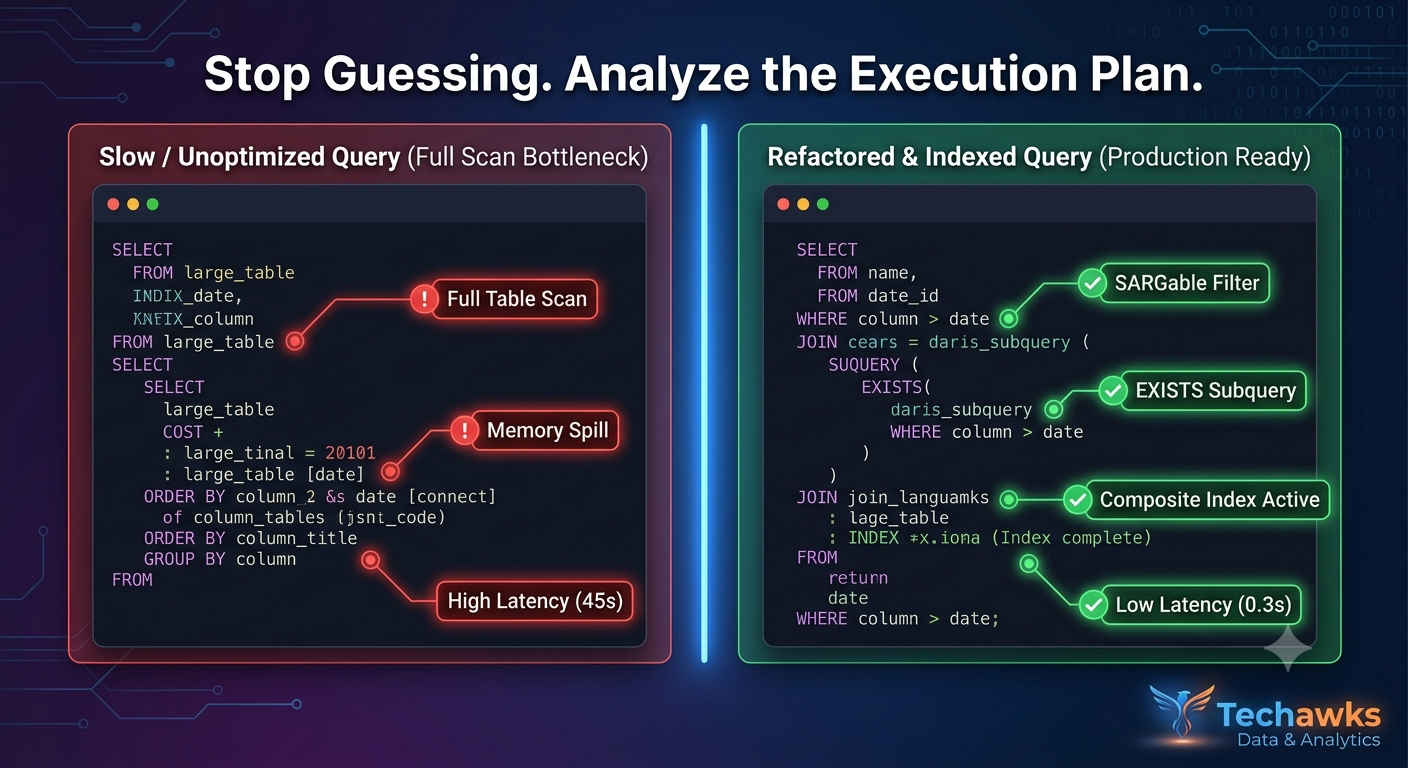
Writing functional SQL is easy; writing performant, production-ready SQL requires an understanding of how query engines scan and filter data under the hood. Follow this step-by-step refactoring workflow to eliminate query bottlenecks.
Step 1: Analyze the Query Execution Plan
Before changing any code, run your engine’s diagnostic tool (EXPLAIN or EXPLAIN ANALYZE in PostgreSQL/MySQL, or inspect the Execution Visualizer in Snowflake/BigQuery).
What to look for: Look for "Full Table Scans" (or Seq Scan) on large tables, costly Sort operations, and high disk I/O spilled to temporary storage.
Action: Identify which specific join or aggregation node is responsible for the highest percentage of total runtime cost.
Step 2: Eliminate SELECT * and Apply Early Filtering
Fetching unused columns prevents the database from using index-only scans and increases network transfer overhead.
Bad Practice:
SQL
SELECT *
FROM orders o
JOIN customers c ON o.customer_id = c.id
WHERE YEAR(o.order_date) = 2025;
Optimized Refactor:
SQL
SELECT o.order_id, o.amount, c.customer_name
FROM orders o
JOIN customers c ON o.customer_id = c.id
WHERE o.order_date >= '2025-01-01' AND o.order_date < '2026-01-01';
Why it works: Selecting only needed columns reduces memory footprint. Avoiding scalar functions like YEAR() on indexed columns enables the engine to use existing date indexes directly (SARGable queries).
Step 3: Replace Subqueries in WHERE with EXISTS or Explicit Joins
Correlated subqueries or large IN (SELECT ...) clauses evaluate row-by-row, slowing down processing on multi-million row tables.
Bad Practice:
SQL
SELECT name FROM users
WHERE id IN (SELECT user_id FROM subscriptions WHERE status = 'active');
Optimized Refactor:
SQL
SELECT u.name
FROM users u
WHERE EXISTS
SELECT 1 FROM subscriptions s
WHERE s.user_id = u.id AND s.status = 'active'
Why it works: EXISTS short-circuits execution as soon as the first matching row is found rather than materializing the full subquery result set in memory.
Step 4: Index High-Cardinality Join and Filter Columns
Ensure columns frequently used in JOIN, WHERE, and GROUP BY clauses are properly indexed or partitioned.
Action: Create composite indexes for queries filtering across multiple columns simultaneously:
SQL
CREATE INDEX idx_orders_customer_date ON orders (customer_id, order_date);
Cloud Warehouse Note: In columnar systems like BigQuery or Snowflake, use Partitioning (e.g., by order_date) and Clustering (e.g., by customer_id) instead of traditional B-tree indexes to minimize data scanned.
Key Takeaways
Diagnose Before Fixing: Always run EXPLAIN ANALYZE to locate exact execution bottlenecks instead of guessing.
Make Queries SARGable: Avoid applying functions (YEAR(), LOWER(), CAST()) directly to indexed columns in WHERE clauses.
Prune Unnecessary Scans: Explicitly list required columns and leverage EXISTS over large IN () subqueries to free up memory.
CTA
Struggling with a stubborn query that won't run efficiently? Join Data Science & Analytics to post your execution plans, trade indexing tips, and master advanced SQL optimization with experienced data engineers.
Writing functional SQL is easy; writing performant, production-ready SQL requires an understanding of how query engines scan and filter data under the hood. Follow this step-by-step refactoring workflow to eliminate query bottlenecks.
Step 1: Analyze the Query Execution Plan
Before changing any code, run your engine’s diagnostic tool (EXPLAIN or EXPLAIN ANALYZE in PostgreSQL/MySQL, or inspect the Execution Visualizer in Snowflake/BigQuery).
What to look for: Look for "Full Table Scans" (or Seq Scan) on large tables, costly Sort operations, and high disk I/O spilled to temporary storage.
Action: Identify which specific join or aggregation node is responsible for the highest percentage of total runtime cost.
Step 2: Eliminate SELECT * and Apply Early Filtering
Fetching unused columns prevents the database from using index-only scans and increases network transfer overhead.
Bad Practice:
SQL
SELECT *
FROM orders o
JOIN customers c ON o.customer_id = c.id
WHERE YEAR(o.order_date) = 2025;
Optimized Refactor:
SQL
SELECT o.order_id, o.amount, c.customer_name
FROM orders o
JOIN customers c ON o.customer_id = c.id
WHERE o.order_date >= '2025-01-01' AND o.order_date < '2026-01-01';
Why it works: Selecting only needed columns reduces memory footprint. Avoiding scalar functions like YEAR() on indexed columns enables the engine to use existing date indexes directly (SARGable queries).
Step 3: Replace Subqueries in WHERE with EXISTS or Explicit Joins
Correlated subqueries or large IN (SELECT ...) clauses evaluate row-by-row, slowing down processing on multi-million row tables.
Bad Practice:
SQL
SELECT name FROM users
WHERE id IN (SELECT user_id FROM subscriptions WHERE status = 'active');
Optimized Refactor:
SQL
SELECT u.name
FROM users u
WHERE EXISTS
SELECT 1 FROM subscriptions s
WHERE s.user_id = u.id AND s.status = 'active'
Why it works: EXISTS short-circuits execution as soon as the first matching row is found rather than materializing the full subquery result set in memory.
Step 4: Index High-Cardinality Join and Filter Columns
Ensure columns frequently used in JOIN, WHERE, and GROUP BY clauses are properly indexed or partitioned.
Action: Create composite indexes for queries filtering across multiple columns simultaneously:
SQL
CREATE INDEX idx_orders_customer_date ON orders (customer_id, order_date);
Cloud Warehouse Note: In columnar systems like BigQuery or Snowflake, use Partitioning (e.g., by order_date) and Clustering (e.g., by customer_id) instead of traditional B-tree indexes to minimize data scanned.
Key Takeaways
Diagnose Before Fixing: Always run EXPLAIN ANALYZE to locate exact execution bottlenecks instead of guessing.
Make Queries SARGable: Avoid applying functions (YEAR(), LOWER(), CAST()) directly to indexed columns in WHERE clauses.
Prune Unnecessary Scans: Explicitly list required columns and leverage EXISTS over large IN () subqueries to free up memory.
CTA
Struggling with a stubborn query that won't run efficiently? Join Data Science & Analytics to post your execution plans, trade indexing tips, and master advanced SQL optimization with experienced data engineers.
How to Optimize Slow SQL Queries: A 4-Step Tutorial for Data Analysts and Engineers
Writing functional SQL is easy; writing performant, production-ready SQL requires an understanding of how query engines scan and filter data under the hood. Follow this step-by-step refactoring workflow to eliminate query bottlenecks.
Step 1: Analyze the Query Execution Plan
Before changing any code, run your engine’s diagnostic tool (EXPLAIN or EXPLAIN ANALYZE in PostgreSQL/MySQL, or inspect the Execution Visualizer in Snowflake/BigQuery).
What to look for: Look for "Full Table Scans" (or Seq Scan) on large tables, costly Sort operations, and high disk I/O spilled to temporary storage.
Action: Identify which specific join or aggregation node is responsible for the highest percentage of total runtime cost.
Step 2: Eliminate SELECT * and Apply Early Filtering
Fetching unused columns prevents the database from using index-only scans and increases network transfer overhead.
Bad Practice:
SQL
SELECT *
FROM orders o
JOIN customers c ON o.customer_id = c.id
WHERE YEAR(o.order_date) = 2025;
Optimized Refactor:
SQL
SELECT o.order_id, o.amount, c.customer_name
FROM orders o
JOIN customers c ON o.customer_id = c.id
WHERE o.order_date >= '2025-01-01' AND o.order_date < '2026-01-01';
Why it works: Selecting only needed columns reduces memory footprint. Avoiding scalar functions like YEAR() on indexed columns enables the engine to use existing date indexes directly (SARGable queries).
Step 3: Replace Subqueries in WHERE with EXISTS or Explicit Joins
Correlated subqueries or large IN (SELECT ...) clauses evaluate row-by-row, slowing down processing on multi-million row tables.
Bad Practice:
SQL
SELECT name FROM users
WHERE id IN (SELECT user_id FROM subscriptions WHERE status = 'active');
Optimized Refactor:
SQL
SELECT u.name
FROM users u
WHERE EXISTS
SELECT 1 FROM subscriptions s
WHERE s.user_id = u.id AND s.status = 'active'
Why it works: EXISTS short-circuits execution as soon as the first matching row is found rather than materializing the full subquery result set in memory.
Step 4: Index High-Cardinality Join and Filter Columns
Ensure columns frequently used in JOIN, WHERE, and GROUP BY clauses are properly indexed or partitioned.
Action: Create composite indexes for queries filtering across multiple columns simultaneously:
SQL
CREATE INDEX idx_orders_customer_date ON orders (customer_id, order_date);
Cloud Warehouse Note: In columnar systems like BigQuery or Snowflake, use Partitioning (e.g., by order_date) and Clustering (e.g., by customer_id) instead of traditional B-tree indexes to minimize data scanned.
Key Takeaways
Diagnose Before Fixing: Always run EXPLAIN ANALYZE to locate exact execution bottlenecks instead of guessing.
Make Queries SARGable: Avoid applying functions (YEAR(), LOWER(), CAST()) directly to indexed columns in WHERE clauses.
Prune Unnecessary Scans: Explicitly list required columns and leverage EXISTS over large IN () subqueries to free up memory.
CTA
Struggling with a stubborn query that won't run efficiently? Join Data Science & Analytics to post your execution plans, trade indexing tips, and master advanced SQL optimization with experienced data engineers.

 Arabic
 French
 Spanish
 Portuguese
 Deutsch
 Turkish
 Dutch
Dutch
 Italiano
 Russian
 Romaian
 Portuguese (Brazil)
 Greek
Greek