


Can You Spot the Phish? The 60-Second Email Audit Challenge
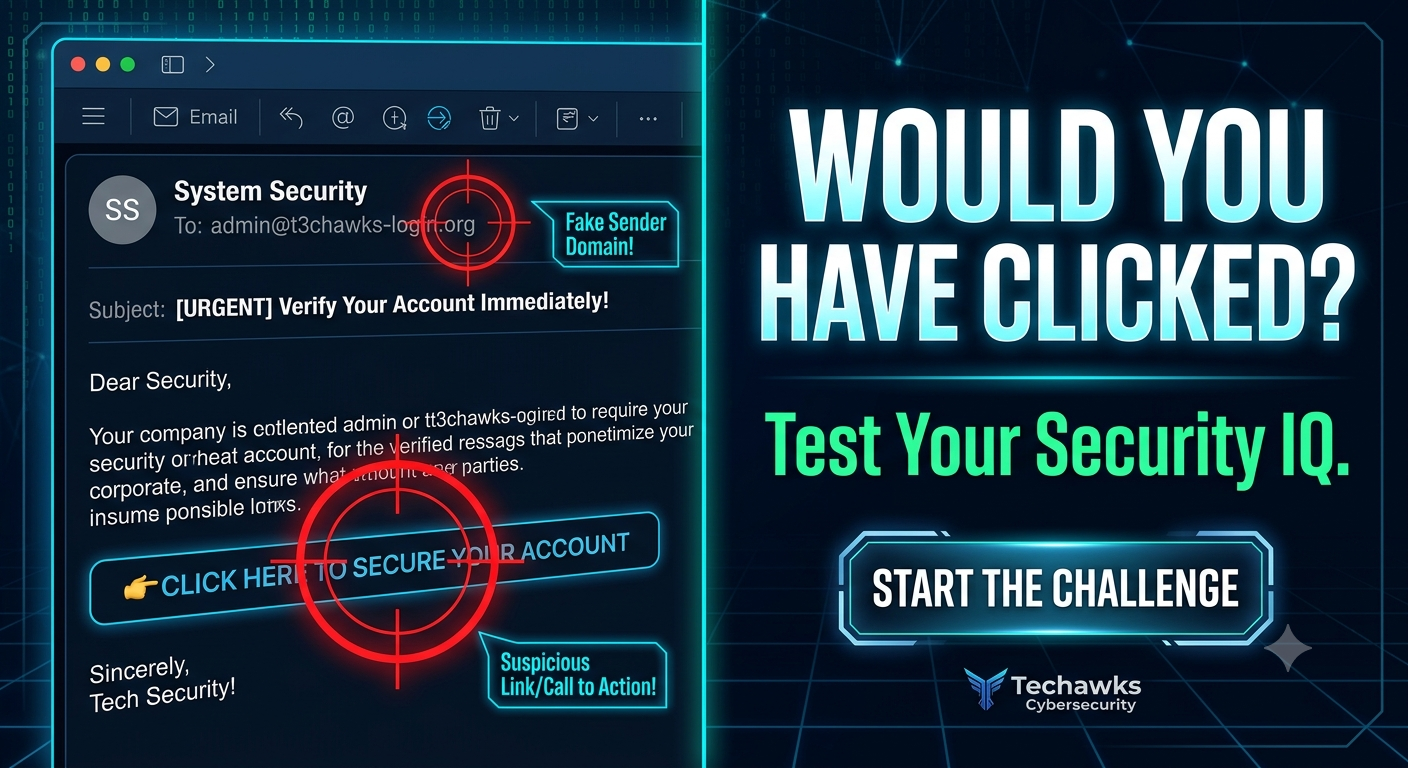
Welcome to the Techawks Email Audit Challenge. Below are 3 real-world red flags hidden in everyday corporate emails. Read through and count how many you would have caught in real-time!
🚨 Red Flag 1: The "Lookalike" Domain
The Scenario: You get an email from support@micros0ft-security.com asking you to verify your password.
The Catch: Cybercriminals register domain names that look almost identical to legitimate brands (using zeroes for 'o's or subtle typos). Always check the full sender address, not just the display name.
🚨 Red Flag 2: Urgent Action Required (With a Timer)
The Scenario: "Your account will be suspended in 2 hours unless you update your payment details here."
The Catch: Urgency bypasses critical thinking. Legitimate security alerts rarely give you a high-stress countdown. When panic strikes, pause—that's your brain warning you.
🚨 Red Flag 3: The Disguised Link
The Scenario: A link says [www.yourbank.com/login](https://www.yourbank.com/login), but when you hover over it, the actual URL points to bit.ly/3xX9z2A or an unknown IP address.
The Catch: What you see on text isn't always where the button goes. Hover before you click to inspect the true destination URL.
Your Score:
3/3 Caught: Security Pro status! 🏆
1-2 Caught: Danger zone—time to sharpen those instincts.
0 Caught: You're a target waiting to happen. Let's fix that!
Key Takeaways
Inspect the Sender: Look closely at the exact domain extension, not just the sender's display name.
Control the Urgency: Artificial time limits are a psychological trap.
Hover First, Click Second: Never trust hyperlinked text without previewing the actual destination URL.
CTA
Ready to go from spotting scams to stopping hacker attacks?
Join the Techawks Cybersecurity & Ethical Hacking Program today to build real-world defense skills and start your career in tech security!
Welcome to the Techawks Email Audit Challenge. Below are 3 real-world red flags hidden in everyday corporate emails. Read through and count how many you would have caught in real-time!
🚨 Red Flag 1: The "Lookalike" Domain
The Scenario: You get an email from support@micros0ft-security.com asking you to verify your password.
The Catch: Cybercriminals register domain names that look almost identical to legitimate brands (using zeroes for 'o's or subtle typos). Always check the full sender address, not just the display name.
🚨 Red Flag 2: Urgent Action Required (With a Timer)
The Scenario: "Your account will be suspended in 2 hours unless you update your payment details here."
The Catch: Urgency bypasses critical thinking. Legitimate security alerts rarely give you a high-stress countdown. When panic strikes, pause—that's your brain warning you.
🚨 Red Flag 3: The Disguised Link
The Scenario: A link says [www.yourbank.com/login](https://www.yourbank.com/login), but when you hover over it, the actual URL points to bit.ly/3xX9z2A or an unknown IP address.
The Catch: What you see on text isn't always where the button goes. Hover before you click to inspect the true destination URL.
Your Score:
3/3 Caught: Security Pro status! 🏆
1-2 Caught: Danger zone—time to sharpen those instincts.
0 Caught: You're a target waiting to happen. Let's fix that!
Key Takeaways
Inspect the Sender: Look closely at the exact domain extension, not just the sender's display name.
Control the Urgency: Artificial time limits are a psychological trap.
Hover First, Click Second: Never trust hyperlinked text without previewing the actual destination URL.
CTA
Ready to go from spotting scams to stopping hacker attacks?
Join the Techawks Cybersecurity & Ethical Hacking Program today to build real-world defense skills and start your career in tech security!
Can You Spot the Phish? The 60-Second Email Audit Challenge
Welcome to the Techawks Email Audit Challenge. Below are 3 real-world red flags hidden in everyday corporate emails. Read through and count how many you would have caught in real-time!
🚨 Red Flag 1: The "Lookalike" Domain
The Scenario: You get an email from support@micros0ft-security.com asking you to verify your password.
The Catch: Cybercriminals register domain names that look almost identical to legitimate brands (using zeroes for 'o's or subtle typos). Always check the full sender address, not just the display name.
🚨 Red Flag 2: Urgent Action Required (With a Timer)
The Scenario: "Your account will be suspended in 2 hours unless you update your payment details here."
The Catch: Urgency bypasses critical thinking. Legitimate security alerts rarely give you a high-stress countdown. When panic strikes, pause—that's your brain warning you.
🚨 Red Flag 3: The Disguised Link
The Scenario: A link says [www.yourbank.com/login](https://www.yourbank.com/login), but when you hover over it, the actual URL points to bit.ly/3xX9z2A or an unknown IP address.
The Catch: What you see on text isn't always where the button goes. Hover before you click to inspect the true destination URL.
Your Score:
3/3 Caught: Security Pro status! 🏆
1-2 Caught: Danger zone—time to sharpen those instincts.
0 Caught: You're a target waiting to happen. Let's fix that!
Key Takeaways
Inspect the Sender: Look closely at the exact domain extension, not just the sender's display name.
Control the Urgency: Artificial time limits are a psychological trap.
Hover First, Click Second: Never trust hyperlinked text without previewing the actual destination URL.
CTA
Ready to go from spotting scams to stopping hacker attacks?
Join the Techawks Cybersecurity & Ethical Hacking Program today to build real-world defense skills and start your career in tech security!

 English
 Arabic
 Spanish
 Portuguese
 Deutsch
 Turkish
 Dutch
Dutch
 Italiano
 Russian
 Romaian
 Portuguese (Brazil)
 Greek
Greek