


Myth Busted: Is Incognito Mode Actually Keeping You Safe? 🕵️♂️
❌ MYTH: "Incognito Mode makes me completely anonymous and safe from hackers."
Many people believe that opening a private window creates an impenetrable shield around their device, hiding their location, blocking malware, and stopping websites from tracking them.
✅ FACT: It only hides your browsing activity from other people using your device.
Private browsing simply stops your browser from saving your local search history, cookies, and form data. It does not hide your activity from external networks or protect you against malicious threats.
What Incognito Mode DOES and DOESN'T Do:
Feature Incognito Mode 🕶️ What You Actually Need 🛡️
Local History Clears history on your device Standard browser feature
IP Address & Location ❌ Still visible VPN (Virtual Private Network)
ISP & Employer Tracking ❌ Still visible Encrypted Traffic / VPN
Malware & Phishing Protection ❌ No protection Antivirus & Security Awareness
Practical Steps to Stay Truly Secure
Use a Trustworthy VPN: If you want to hide your IP address and encrypt your internet traffic from network snoops, rely on a VPN—not Incognito Mode.
Layer Your Security: Use modern browser extensions like ad-blockers and HTTPS-enforcers alongside updated antivirus software.
Practice Cyber Hygiene: Never assume private browsing protects you from download links or fake login pages. Phishing scams work regardless of your browser mode!
Key Takeaways
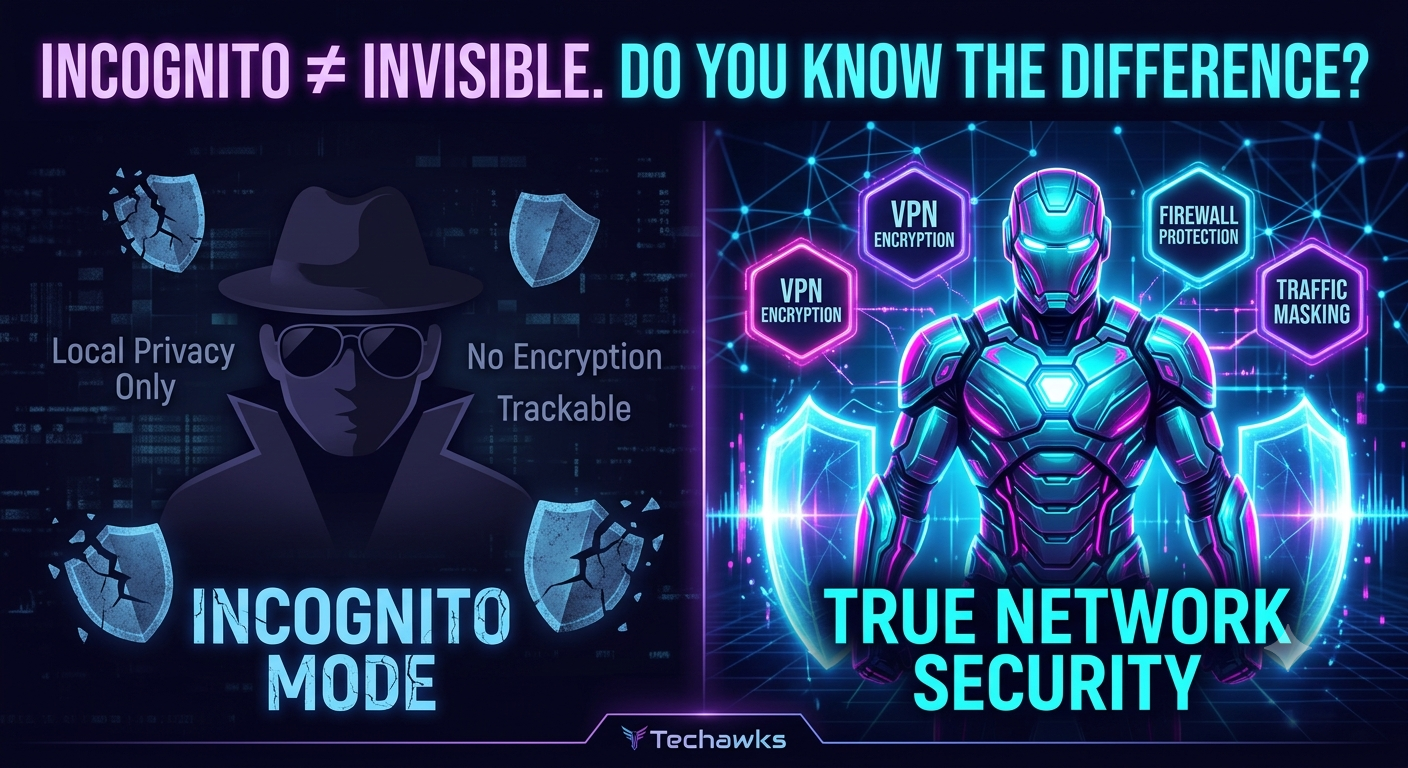
Local vs. Network Privacy: Incognito mode only protects your privacy locally (on your screen), not across the web.
Visibility Remains: Your Internet Service Provider (ISP), network admin, and the websites you visit can still track you.
No Security Armor: Private browsing does not block malware, viruses, or phishing attacks.
CTA
Want to go beyond basic privacy myths and master real network defense?
Join the Techawks Cybersecurity & Ethical Hacking Program today to build hands-on skills, learn how real tracking works, and launch your career in cybersecurity! 🚀
❌ MYTH: "Incognito Mode makes me completely anonymous and safe from hackers."
Many people believe that opening a private window creates an impenetrable shield around their device, hiding their location, blocking malware, and stopping websites from tracking them.
✅ FACT: It only hides your browsing activity from other people using your device.
Private browsing simply stops your browser from saving your local search history, cookies, and form data. It does not hide your activity from external networks or protect you against malicious threats.
What Incognito Mode DOES and DOESN'T Do:
Feature Incognito Mode 🕶️ What You Actually Need 🛡️
Local History Clears history on your device Standard browser feature
IP Address & Location ❌ Still visible VPN (Virtual Private Network)
ISP & Employer Tracking ❌ Still visible Encrypted Traffic / VPN
Malware & Phishing Protection ❌ No protection Antivirus & Security Awareness
Practical Steps to Stay Truly Secure
Use a Trustworthy VPN: If you want to hide your IP address and encrypt your internet traffic from network snoops, rely on a VPN—not Incognito Mode.
Layer Your Security: Use modern browser extensions like ad-blockers and HTTPS-enforcers alongside updated antivirus software.
Practice Cyber Hygiene: Never assume private browsing protects you from download links or fake login pages. Phishing scams work regardless of your browser mode!
Key Takeaways
Local vs. Network Privacy: Incognito mode only protects your privacy locally (on your screen), not across the web.
Visibility Remains: Your Internet Service Provider (ISP), network admin, and the websites you visit can still track you.
No Security Armor: Private browsing does not block malware, viruses, or phishing attacks.
CTA
Want to go beyond basic privacy myths and master real network defense?
Join the Techawks Cybersecurity & Ethical Hacking Program today to build hands-on skills, learn how real tracking works, and launch your career in cybersecurity! 🚀
Myth Busted: Is Incognito Mode Actually Keeping You Safe? 🕵️♂️
❌ MYTH: "Incognito Mode makes me completely anonymous and safe from hackers."
Many people believe that opening a private window creates an impenetrable shield around their device, hiding their location, blocking malware, and stopping websites from tracking them.
✅ FACT: It only hides your browsing activity from other people using your device.
Private browsing simply stops your browser from saving your local search history, cookies, and form data. It does not hide your activity from external networks or protect you against malicious threats.
What Incognito Mode DOES and DOESN'T Do:
Feature Incognito Mode 🕶️ What You Actually Need 🛡️
Local History Clears history on your device Standard browser feature
IP Address & Location ❌ Still visible VPN (Virtual Private Network)
ISP & Employer Tracking ❌ Still visible Encrypted Traffic / VPN
Malware & Phishing Protection ❌ No protection Antivirus & Security Awareness
Practical Steps to Stay Truly Secure
Use a Trustworthy VPN: If you want to hide your IP address and encrypt your internet traffic from network snoops, rely on a VPN—not Incognito Mode.
Layer Your Security: Use modern browser extensions like ad-blockers and HTTPS-enforcers alongside updated antivirus software.
Practice Cyber Hygiene: Never assume private browsing protects you from download links or fake login pages. Phishing scams work regardless of your browser mode!
Key Takeaways
Local vs. Network Privacy: Incognito mode only protects your privacy locally (on your screen), not across the web.
Visibility Remains: Your Internet Service Provider (ISP), network admin, and the websites you visit can still track you.
No Security Armor: Private browsing does not block malware, viruses, or phishing attacks.
CTA
Want to go beyond basic privacy myths and master real network defense?
Join the Techawks Cybersecurity & Ethical Hacking Program today to build hands-on skills, learn how real tracking works, and launch your career in cybersecurity! 🚀

 English
 Arabic
 French
 Spanish
 Portuguese
 Deutsch
 Turkish
 Italiano
 Russian
 Romaian
 Portuguese (Brazil)
 Greek
Greek