


Notion vs. Obsidian: Which Knowledge Hub Actually Boosts Your Grades?
When it comes to managing college coursework, two heavyweights dominate the productivity space: Notion and Obsidian. While both are free for students, they take fundamentally different approaches to handling information.
Here is how they stack up for active learning and study management:
1. Notion: The All-in-One Digital Planner
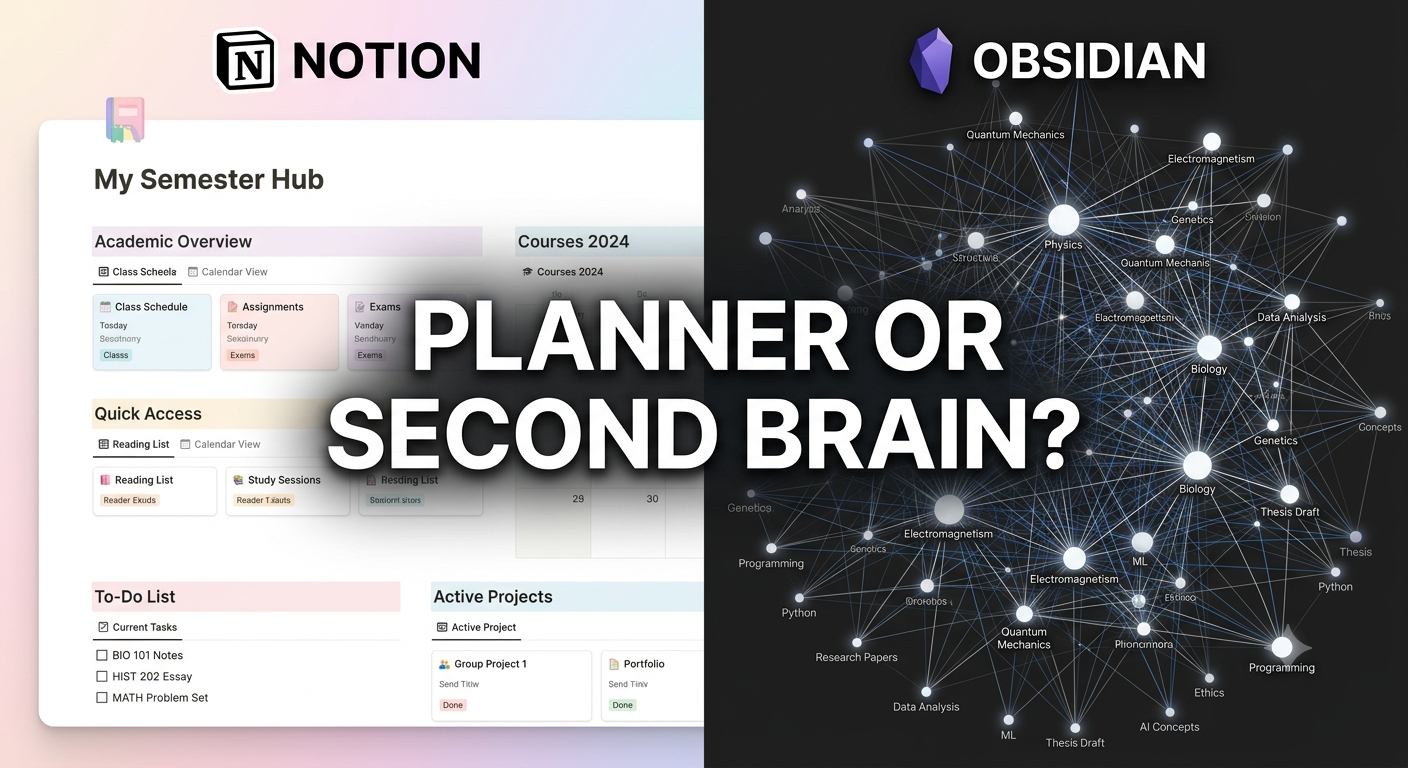
Notion shines as a structured, visual database engine. It excels at keeping your life organized in a single, visually appealing dashboard.
Best Feature for Students: Relational Databases. You can link a "Courses" database to a "Assignments Tracker" and a "Reading List" seamlessly.
Learning Experience: Highly visual. Great for managing assignment deadlines, group project boards, and aesthetically pleasing syllabus hubs.
The Downside: It’s cloud-dependent (no offline access without prior loading) and can tempt you to spend hours customizing aesthetics instead of actually studying.
2. Obsidian: The Interconnected Brain
Obsidian is a Markdown-based, offline-first tool designed around linked thinking. Instead of rigid folders, it connects your notes through bidirectional links.
Best Feature for Students: The Graph View & Markdown Linking. By typing [[Concept]], you link ideas across different subjects—perfect for synthesis-heavy majors like history, medicine, or computer science.
Learning Experience: Promotes deep, active recall and long-term retention. Local storage means your notes live on your machine forever, blazing fast and completely private.
The Downside: Steeper initial learning curve and no built-in database tables out of the box (requires community plugins).
The Verdict: Which Should You Pick?
Choose Notion if you need a macro-level dashboard to organize deadlines, track assignments, and manage life alongside your studies.
Choose Obsidian if you deal with complex, interconnected subjects where building long-term knowledge and deep synthesis matter more than aesthetic habit trackers.
Key Takeaways
Structure vs. Synthesis: Notion organizes your schedule and tasks; Obsidian organizes your thoughts and concepts.
Friction Kills Consistency: Pick the tool that requires the least setup effort so you spend time learning, not tweaking layouts.
Hybrid Power Move: Use Notion for project/assignment management and Obsidian for active lecture note-taking.
CTA
Want to level up your tech stack this semester?
[Join Students in Tech] to share your favorite study setups, swap custom templates, and get exclusive tech workflows built by students, for students!
When it comes to managing college coursework, two heavyweights dominate the productivity space: Notion and Obsidian. While both are free for students, they take fundamentally different approaches to handling information.
Here is how they stack up for active learning and study management:
1. Notion: The All-in-One Digital Planner
Notion shines as a structured, visual database engine. It excels at keeping your life organized in a single, visually appealing dashboard.
Best Feature for Students: Relational Databases. You can link a "Courses" database to a "Assignments Tracker" and a "Reading List" seamlessly.
Learning Experience: Highly visual. Great for managing assignment deadlines, group project boards, and aesthetically pleasing syllabus hubs.
The Downside: It’s cloud-dependent (no offline access without prior loading) and can tempt you to spend hours customizing aesthetics instead of actually studying.
2. Obsidian: The Interconnected Brain
Obsidian is a Markdown-based, offline-first tool designed around linked thinking. Instead of rigid folders, it connects your notes through bidirectional links.
Best Feature for Students: The Graph View & Markdown Linking. By typing [[Concept]], you link ideas across different subjects—perfect for synthesis-heavy majors like history, medicine, or computer science.
Learning Experience: Promotes deep, active recall and long-term retention. Local storage means your notes live on your machine forever, blazing fast and completely private.
The Downside: Steeper initial learning curve and no built-in database tables out of the box (requires community plugins).
The Verdict: Which Should You Pick?
Choose Notion if you need a macro-level dashboard to organize deadlines, track assignments, and manage life alongside your studies.
Choose Obsidian if you deal with complex, interconnected subjects where building long-term knowledge and deep synthesis matter more than aesthetic habit trackers.
Key Takeaways
Structure vs. Synthesis: Notion organizes your schedule and tasks; Obsidian organizes your thoughts and concepts.
Friction Kills Consistency: Pick the tool that requires the least setup effort so you spend time learning, not tweaking layouts.
Hybrid Power Move: Use Notion for project/assignment management and Obsidian for active lecture note-taking.
CTA
Want to level up your tech stack this semester?
[Join Students in Tech] to share your favorite study setups, swap custom templates, and get exclusive tech workflows built by students, for students!
Notion vs. Obsidian: Which Knowledge Hub Actually Boosts Your Grades?
When it comes to managing college coursework, two heavyweights dominate the productivity space: Notion and Obsidian. While both are free for students, they take fundamentally different approaches to handling information.
Here is how they stack up for active learning and study management:
1. Notion: The All-in-One Digital Planner
Notion shines as a structured, visual database engine. It excels at keeping your life organized in a single, visually appealing dashboard.
Best Feature for Students: Relational Databases. You can link a "Courses" database to a "Assignments Tracker" and a "Reading List" seamlessly.
Learning Experience: Highly visual. Great for managing assignment deadlines, group project boards, and aesthetically pleasing syllabus hubs.
The Downside: It’s cloud-dependent (no offline access without prior loading) and can tempt you to spend hours customizing aesthetics instead of actually studying.
2. Obsidian: The Interconnected Brain
Obsidian is a Markdown-based, offline-first tool designed around linked thinking. Instead of rigid folders, it connects your notes through bidirectional links.
Best Feature for Students: The Graph View & Markdown Linking. By typing [[Concept]], you link ideas across different subjects—perfect for synthesis-heavy majors like history, medicine, or computer science.
Learning Experience: Promotes deep, active recall and long-term retention. Local storage means your notes live on your machine forever, blazing fast and completely private.
The Downside: Steeper initial learning curve and no built-in database tables out of the box (requires community plugins).
The Verdict: Which Should You Pick?
Choose Notion if you need a macro-level dashboard to organize deadlines, track assignments, and manage life alongside your studies.
Choose Obsidian if you deal with complex, interconnected subjects where building long-term knowledge and deep synthesis matter more than aesthetic habit trackers.
Key Takeaways
Structure vs. Synthesis: Notion organizes your schedule and tasks; Obsidian organizes your thoughts and concepts.
Friction Kills Consistency: Pick the tool that requires the least setup effort so you spend time learning, not tweaking layouts.
Hybrid Power Move: Use Notion for project/assignment management and Obsidian for active lecture note-taking.
CTA
Want to level up your tech stack this semester?
[Join Students in Tech] to share your favorite study setups, swap custom templates, and get exclusive tech workflows built by students, for students!

 English
 Arabic
 French
 Portuguese
 Deutsch
 Turkish
 Dutch
Dutch
 Italiano
 Russian
 Romaian
 Portuguese (Brazil)
 Greek
Greek