


The Student Developer’s Security Checklist: 5 Mistakes That Expose Your Code
Most entry-level security incidents don't happen because of sophisticated zero-day exploits. They happen because of simple, avoidable configuration mistakes during development.
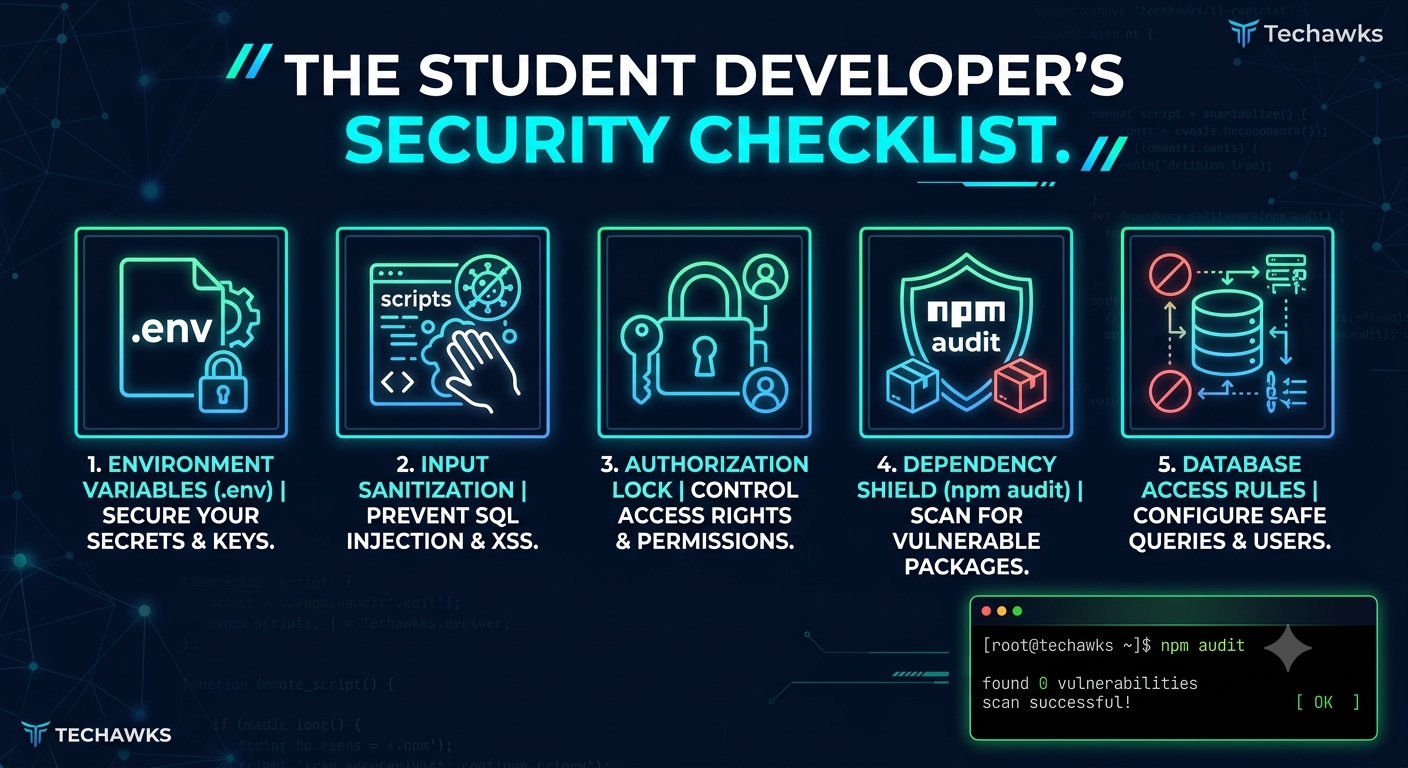
Whether you're building a portfolio project or launching a prototype, run through this 5-step checklist to keep your systems secure:
1. Never Hardcode Credentials (Use Environment Variables)
The Risk: Hardcoding database URIs, API keys, or JWT secrets directly into your source code will expose them publicly the moment you push to GitHub.
The Fix: Store sensitive values in .env files and immediately add .env to your .gitignore file. Use tools like git-secrets or TruffleHog to scan your repository for leaked secrets before committing.
2. Sanitize and Validate All User Input
The Risk: Trusting user input directly leads to common injection vulnerabilities like SQL Injection (SQLi) and Cross-Site Scripting (XSS).
The Fix: Always use parameterized queries or ORMs instead of raw SQL strings. Escaping dynamic data before rendering it in the UI prevents malicious scripts from executing in a user's browser.
3. Implement Strict Access Controls
The Risk: Broken Object Level Authorization (BOLA) occurs when an user can access another user’s private data simply by changing an ID in the URL parameter (e.g., /api/user/101 to /api/user/102).
The Fix: Never rely on front-end security alone. Always verify session tokens and authorization logic on the backend for every incoming request.
4. Audit Dependencies Regularly
The Risk: Open-source packages accelerate development, but outdated libraries frequently contain known security vulnerabilities.
The Fix: Run dependency scanning commands regularly in your terminal:
For Node.js: npm audit
For Python: pip audit or safety check
Update vulnerable packages immediately.
5. Enforce Least Privilege for Database Roles
The Risk: Using the root or admin user account for standard database read/write queries gives attackers full control over your database server if a breach occurs.
The Fix: Create standard database users with permissions restricted only to the specific tables and operations (SELECT, INSERT, UPDATE) required by your application.
Key Takeaways
Keep Secrets Secret: .gitignore is your primary line of defense against committing credentials.
Never Trust Input: Sanitize, validate, and parameterize all user-supplied data on the backend.
Patch Packages: Outdated third-party packages are an open invitation for exploit automated scripts.
CTA (Join Cybersecurity & Ethical Hacking)
Want to learn how to identify these vulnerabilities—and fix them—before cybercriminals exploit them?
👉 [Join Cybersecurity & Ethical Hacking] to dive into hands-on lab exercises, threat modeling, and practical defense strategies alongside fellow cybersecurity enthusiasts!
Most entry-level security incidents don't happen because of sophisticated zero-day exploits. They happen because of simple, avoidable configuration mistakes during development.
Whether you're building a portfolio project or launching a prototype, run through this 5-step checklist to keep your systems secure:
1. Never Hardcode Credentials (Use Environment Variables)
The Risk: Hardcoding database URIs, API keys, or JWT secrets directly into your source code will expose them publicly the moment you push to GitHub.
The Fix: Store sensitive values in .env files and immediately add .env to your .gitignore file. Use tools like git-secrets or TruffleHog to scan your repository for leaked secrets before committing.
2. Sanitize and Validate All User Input
The Risk: Trusting user input directly leads to common injection vulnerabilities like SQL Injection (SQLi) and Cross-Site Scripting (XSS).
The Fix: Always use parameterized queries or ORMs instead of raw SQL strings. Escaping dynamic data before rendering it in the UI prevents malicious scripts from executing in a user's browser.
3. Implement Strict Access Controls
The Risk: Broken Object Level Authorization (BOLA) occurs when an user can access another user’s private data simply by changing an ID in the URL parameter (e.g., /api/user/101 to /api/user/102).
The Fix: Never rely on front-end security alone. Always verify session tokens and authorization logic on the backend for every incoming request.
4. Audit Dependencies Regularly
The Risk: Open-source packages accelerate development, but outdated libraries frequently contain known security vulnerabilities.
The Fix: Run dependency scanning commands regularly in your terminal:
For Node.js: npm audit
For Python: pip audit or safety check
Update vulnerable packages immediately.
5. Enforce Least Privilege for Database Roles
The Risk: Using the root or admin user account for standard database read/write queries gives attackers full control over your database server if a breach occurs.
The Fix: Create standard database users with permissions restricted only to the specific tables and operations (SELECT, INSERT, UPDATE) required by your application.
Key Takeaways
Keep Secrets Secret: .gitignore is your primary line of defense against committing credentials.
Never Trust Input: Sanitize, validate, and parameterize all user-supplied data on the backend.
Patch Packages: Outdated third-party packages are an open invitation for exploit automated scripts.
CTA (Join Cybersecurity & Ethical Hacking)
Want to learn how to identify these vulnerabilities—and fix them—before cybercriminals exploit them?
👉 [Join Cybersecurity & Ethical Hacking] to dive into hands-on lab exercises, threat modeling, and practical defense strategies alongside fellow cybersecurity enthusiasts!
The Student Developer’s Security Checklist: 5 Mistakes That Expose Your Code
Most entry-level security incidents don't happen because of sophisticated zero-day exploits. They happen because of simple, avoidable configuration mistakes during development.
Whether you're building a portfolio project or launching a prototype, run through this 5-step checklist to keep your systems secure:
1. Never Hardcode Credentials (Use Environment Variables)
The Risk: Hardcoding database URIs, API keys, or JWT secrets directly into your source code will expose them publicly the moment you push to GitHub.
The Fix: Store sensitive values in .env files and immediately add .env to your .gitignore file. Use tools like git-secrets or TruffleHog to scan your repository for leaked secrets before committing.
2. Sanitize and Validate All User Input
The Risk: Trusting user input directly leads to common injection vulnerabilities like SQL Injection (SQLi) and Cross-Site Scripting (XSS).
The Fix: Always use parameterized queries or ORMs instead of raw SQL strings. Escaping dynamic data before rendering it in the UI prevents malicious scripts from executing in a user's browser.
3. Implement Strict Access Controls
The Risk: Broken Object Level Authorization (BOLA) occurs when an user can access another user’s private data simply by changing an ID in the URL parameter (e.g., /api/user/101 to /api/user/102).
The Fix: Never rely on front-end security alone. Always verify session tokens and authorization logic on the backend for every incoming request.
4. Audit Dependencies Regularly
The Risk: Open-source packages accelerate development, but outdated libraries frequently contain known security vulnerabilities.
The Fix: Run dependency scanning commands regularly in your terminal:
For Node.js: npm audit
For Python: pip audit or safety check
Update vulnerable packages immediately.
5. Enforce Least Privilege for Database Roles
The Risk: Using the root or admin user account for standard database read/write queries gives attackers full control over your database server if a breach occurs.
The Fix: Create standard database users with permissions restricted only to the specific tables and operations (SELECT, INSERT, UPDATE) required by your application.
Key Takeaways
Keep Secrets Secret: .gitignore is your primary line of defense against committing credentials.
Never Trust Input: Sanitize, validate, and parameterize all user-supplied data on the backend.
Patch Packages: Outdated third-party packages are an open invitation for exploit automated scripts.
CTA (Join Cybersecurity & Ethical Hacking)
Want to learn how to identify these vulnerabilities—and fix them—before cybercriminals exploit them?
👉 [Join Cybersecurity & Ethical Hacking] to dive into hands-on lab exercises, threat modeling, and practical defense strategies alongside fellow cybersecurity enthusiasts!

 English
 French
 Spanish
 Portuguese
 Deutsch
 Turkish
 Dutch
Dutch
 Italiano
 Russian
 Romaian
 Portuguese (Brazil)
 Greek
Greek