


The Production-Ready Kubernetes Checklist: 8 Configurations You Can’t Ignore
Running workloads in Kubernetes without production guardrails is a ticking time bomb. A single misconfigured container can consume all node resources, trigger cascading failures, or expose your cluster to security risks.
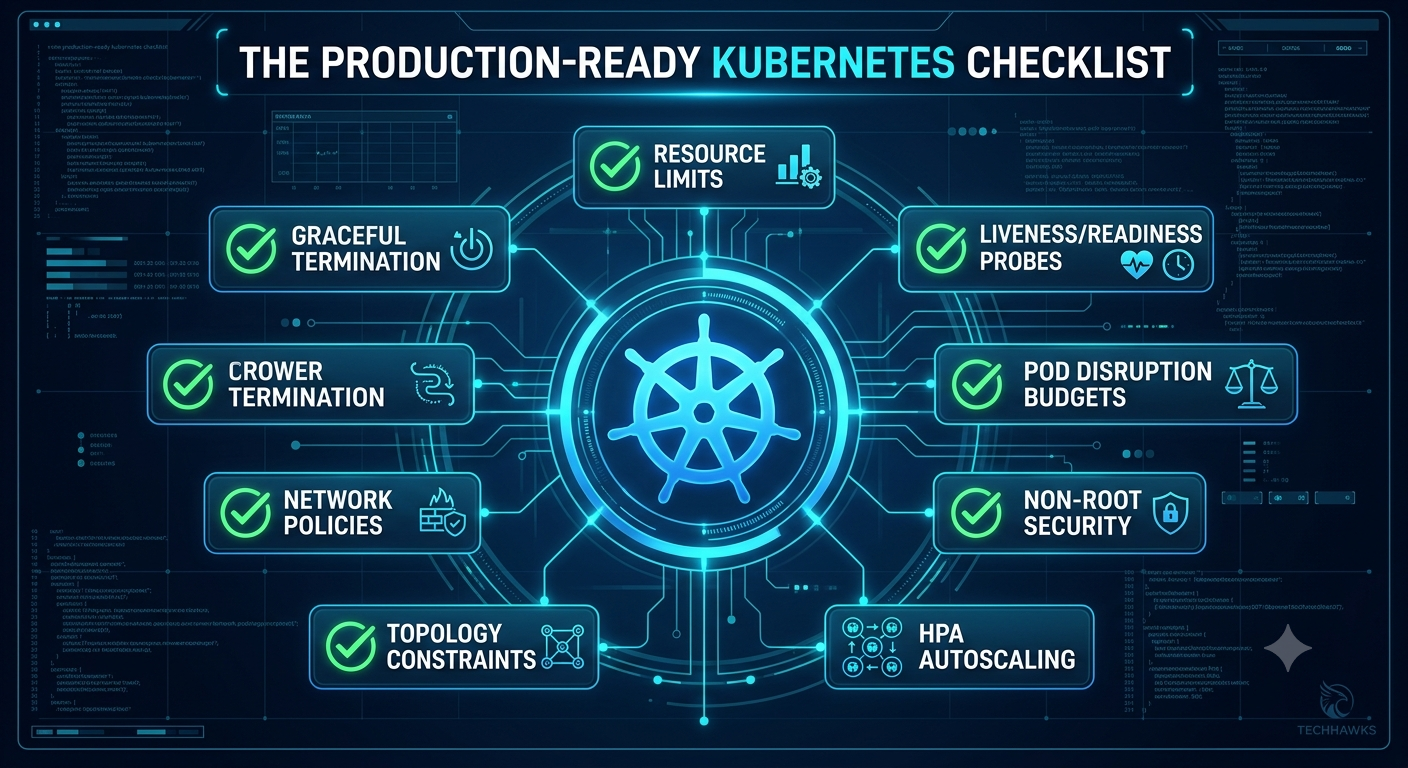
Use this actionable checklist whenever you deploy a service to production:
☸️ Production Readiness Checklist for Kubernetes
1. Define Resource Requests & Limits
Prevent resource starvation and noisy neighbor issues. Always configure requests (guaranteed resources for scheduling) and limits (hard caps) for both CPU and Memory in your pod spec.
2. Configure Liveness and Readiness Probes
Readiness Probe: Ensures traffic is routed to the pod only when it is fully booted and ready to serve requests.
Liveness Probe: Detects deadlocks and restarts frozen containers automatically.
3. Implement Pod Disruption Budgets (PDBs)
Prevent complete downtime during cluster maintenance or node drains. Set a PodDisruptionBudget to guarantee a minimum number of healthy pods remain available at all times.
4. Enforce Non-Root Execution & Read-Only Filesystem
Secure your container runtime in securityContext. Set runAsNonRoot: true, readOnlyRootFilesystem: true, and drop all unneeded Linux capabilities (capabilities.drop: ["ALL"]).
5. Set Up Horizontal Pod Autoscaling (HPA)
Automatically scale pod replicas up or down based on CPU, memory, or custom metrics to gracefully handle unexpected traffic spikes without over-provisioning.
6. Establish Topology Spread Constraints
Avoid placing all pod replicas on the same node or in the same availability zone. Use topologySpreadConstraints to distribute pods evenly across fault domains.
7. Restrict Network Traffic with NetworkPolicies
Kubernetes permits all pod-to-pod communication by default. Implement ingress and egress NetworkPolicy rules to enforce a zero-trust network model within your namespace.
8. Use Graceful Shutdown Handling (terminationGracePeriodSeconds)
Ensure your app intercepts the SIGTERM signal to finish processing active requests and close open database connections before being forcibly killed (SIGKILL).
Key Takeaways
Protect Node Resources: Always define requests and limits to keep the cluster autoscaler and scheduler working predictably.
Fail Safe: Probes and Pod Disruption Budgets ensure seamless node updates and zero-downtime rolling deployments.
Zero Trust Security: Lock down pod capabilities and isolate network traffic right from the start.
CTA (Join Cloud, DevOps & Open Source)
Want to master Kubernetes architecture, infrastructure as code, and CI/CD pipelines alongside fellow cloud engineers and DevOps practitioners?
☁️ Join the Cloud, DevOps & Open Source community today to share manifest templates, debug complex cluster setups, and level up your cloud-native skills!
Running workloads in Kubernetes without production guardrails is a ticking time bomb. A single misconfigured container can consume all node resources, trigger cascading failures, or expose your cluster to security risks.
Use this actionable checklist whenever you deploy a service to production:
☸️ Production Readiness Checklist for Kubernetes
1. Define Resource Requests & Limits
Prevent resource starvation and noisy neighbor issues. Always configure requests (guaranteed resources for scheduling) and limits (hard caps) for both CPU and Memory in your pod spec.
2. Configure Liveness and Readiness Probes
Readiness Probe: Ensures traffic is routed to the pod only when it is fully booted and ready to serve requests.
Liveness Probe: Detects deadlocks and restarts frozen containers automatically.
3. Implement Pod Disruption Budgets (PDBs)
Prevent complete downtime during cluster maintenance or node drains. Set a PodDisruptionBudget to guarantee a minimum number of healthy pods remain available at all times.
4. Enforce Non-Root Execution & Read-Only Filesystem
Secure your container runtime in securityContext. Set runAsNonRoot: true, readOnlyRootFilesystem: true, and drop all unneeded Linux capabilities (capabilities.drop: ["ALL"]).
5. Set Up Horizontal Pod Autoscaling (HPA)
Automatically scale pod replicas up or down based on CPU, memory, or custom metrics to gracefully handle unexpected traffic spikes without over-provisioning.
6. Establish Topology Spread Constraints
Avoid placing all pod replicas on the same node or in the same availability zone. Use topologySpreadConstraints to distribute pods evenly across fault domains.
7. Restrict Network Traffic with NetworkPolicies
Kubernetes permits all pod-to-pod communication by default. Implement ingress and egress NetworkPolicy rules to enforce a zero-trust network model within your namespace.
8. Use Graceful Shutdown Handling (terminationGracePeriodSeconds)
Ensure your app intercepts the SIGTERM signal to finish processing active requests and close open database connections before being forcibly killed (SIGKILL).
Key Takeaways
Protect Node Resources: Always define requests and limits to keep the cluster autoscaler and scheduler working predictably.
Fail Safe: Probes and Pod Disruption Budgets ensure seamless node updates and zero-downtime rolling deployments.
Zero Trust Security: Lock down pod capabilities and isolate network traffic right from the start.
CTA (Join Cloud, DevOps & Open Source)
Want to master Kubernetes architecture, infrastructure as code, and CI/CD pipelines alongside fellow cloud engineers and DevOps practitioners?
☁️ Join the Cloud, DevOps & Open Source community today to share manifest templates, debug complex cluster setups, and level up your cloud-native skills!
The Production-Ready Kubernetes Checklist: 8 Configurations You Can’t Ignore
Running workloads in Kubernetes without production guardrails is a ticking time bomb. A single misconfigured container can consume all node resources, trigger cascading failures, or expose your cluster to security risks.
Use this actionable checklist whenever you deploy a service to production:
☸️ Production Readiness Checklist for Kubernetes
1. Define Resource Requests & Limits
Prevent resource starvation and noisy neighbor issues. Always configure requests (guaranteed resources for scheduling) and limits (hard caps) for both CPU and Memory in your pod spec.
2. Configure Liveness and Readiness Probes
Readiness Probe: Ensures traffic is routed to the pod only when it is fully booted and ready to serve requests.
Liveness Probe: Detects deadlocks and restarts frozen containers automatically.
3. Implement Pod Disruption Budgets (PDBs)
Prevent complete downtime during cluster maintenance or node drains. Set a PodDisruptionBudget to guarantee a minimum number of healthy pods remain available at all times.
4. Enforce Non-Root Execution & Read-Only Filesystem
Secure your container runtime in securityContext. Set runAsNonRoot: true, readOnlyRootFilesystem: true, and drop all unneeded Linux capabilities (capabilities.drop: ["ALL"]).
5. Set Up Horizontal Pod Autoscaling (HPA)
Automatically scale pod replicas up or down based on CPU, memory, or custom metrics to gracefully handle unexpected traffic spikes without over-provisioning.
6. Establish Topology Spread Constraints
Avoid placing all pod replicas on the same node or in the same availability zone. Use topologySpreadConstraints to distribute pods evenly across fault domains.
7. Restrict Network Traffic with NetworkPolicies
Kubernetes permits all pod-to-pod communication by default. Implement ingress and egress NetworkPolicy rules to enforce a zero-trust network model within your namespace.
8. Use Graceful Shutdown Handling (terminationGracePeriodSeconds)
Ensure your app intercepts the SIGTERM signal to finish processing active requests and close open database connections before being forcibly killed (SIGKILL).
Key Takeaways
Protect Node Resources: Always define requests and limits to keep the cluster autoscaler and scheduler working predictably.
Fail Safe: Probes and Pod Disruption Budgets ensure seamless node updates and zero-downtime rolling deployments.
Zero Trust Security: Lock down pod capabilities and isolate network traffic right from the start.
CTA (Join Cloud, DevOps & Open Source)
Want to master Kubernetes architecture, infrastructure as code, and CI/CD pipelines alongside fellow cloud engineers and DevOps practitioners?
☁️ Join the Cloud, DevOps & Open Source community today to share manifest templates, debug complex cluster setups, and level up your cloud-native skills!

 English
 French
 Spanish
 Portuguese
 Deutsch
 Turkish
 Dutch
Dutch
 Italiano
 Russian
 Romaian
 Portuguese (Brazil)
 Greek
Greek