


Myth Busted: "Incognito Mode Makes You Completely Anonymous Online"
Let’s dismantle one of the most common privacy misconceptions among internet users and aspiring security professionals.
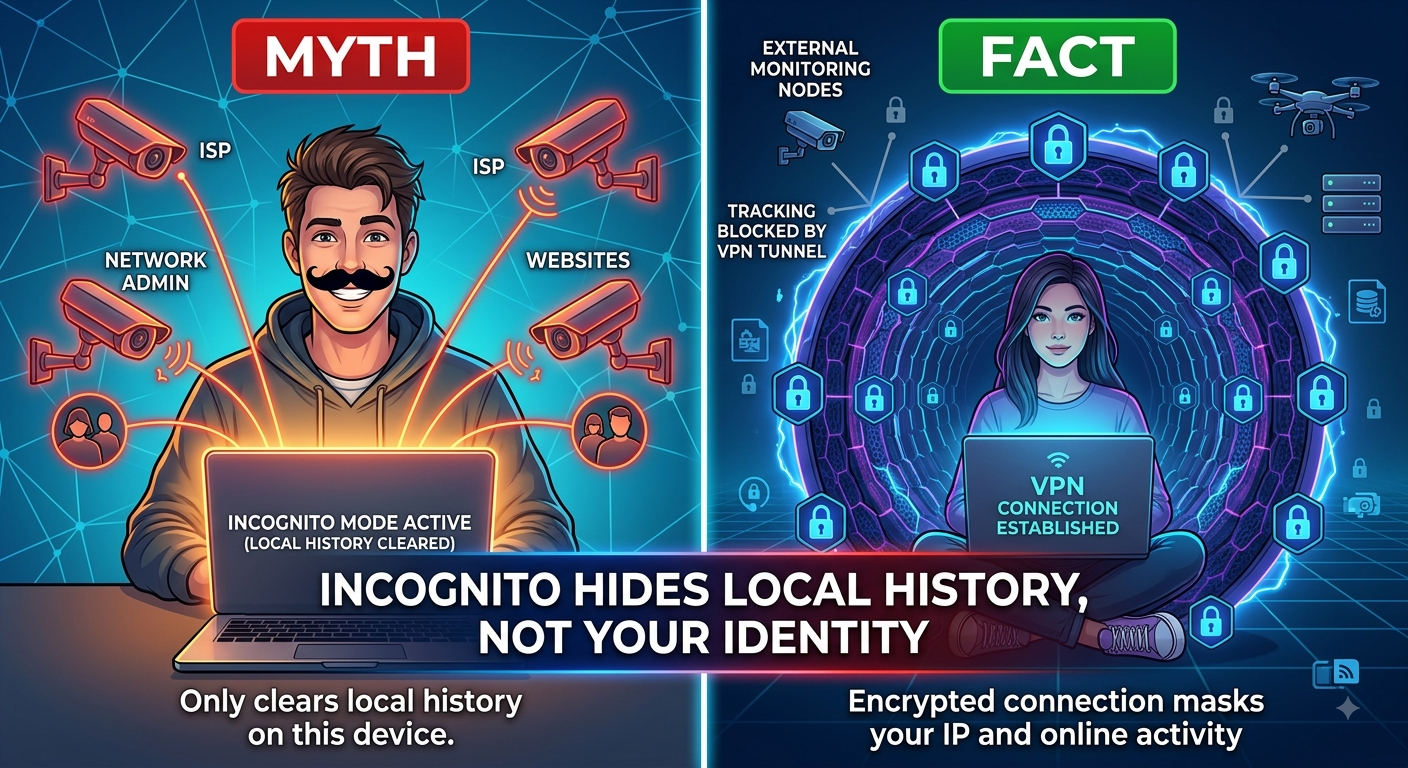
❌ The Myth
"Browsing in Incognito or Private mode hides my IP address, conceals my location, and stops my Internet Service Provider (ISP), network admins, or websites from tracking me."
The Fact
Incognito mode only wipes your local browsing history, search history, cookies, and form data after you close the session. It does absolutely nothing to encrypt your network traffic or mask your digital identity from external observers.
Your ISP, university/corporate network administrators, search engines, and the websites you visit can still see every request you make, record your public IP address, and trace your activity directly back to your device.
What Incognito Mode ACTUALLY Does vs. Doesn't Do
Feature Incognito / Private Mode Virtual Private Network (VPN) / Tor
Clears Local History & Cookies ✅ Yes ❌ Not automatically
Hides Activity from Network Admins/ISP❌ No ✅ Yes (Encrypted Tunnel)
Masks Your Public IP Address ❌ No ✅ Yes
Prevents Cross-Site Tracking ⚠️ Partial (Session-based) ✅ High Protection
Action Plan: How to Actually Protect Your Privacy Online
Use an Encrypted VPN or Tor for Network Privacy: If you don't want your ISP or public Wi-Fi operator logging the sites you visit, route your connection through a trusted VPN or use Tor to encrypt your traffic end-to-end.
Switch to a Privacy-Focused Browser: Use browsers like Brave or LibreWolf with built-in fingerprinting protection, auto-blocking of third-party trackers, and strict HTTPS enforcement.
Encrypted DNS (DoH/DoT): Enable DNS-over-HTTPS in your browser settings to prevent network snoopers from observing the domain names you resolve.
Key Takeaways
Local vs. Network Privacy: Incognito mode manages local disk storage; it does not secure your network connection.
Visibility Remains: ISPs, network admins, and destination websites can still monitor and log your activity in private mode.
Layered Defense: True online anonymity requires encryption tools like VPNs, Tor, and privacy-hardened browser configurations.
CTA
Want to pull back the curtain on how network protocols, tracking technologies, and digital footprints really work?
Master real cybersecurity techniques, learn packet analysis, and dive deep into offensive and defensive tactics. [Join Cybersecurity & Ethical Hacking] to elevate your security expertise today!
Let’s dismantle one of the most common privacy misconceptions among internet users and aspiring security professionals.
❌ The Myth
"Browsing in Incognito or Private mode hides my IP address, conceals my location, and stops my Internet Service Provider (ISP), network admins, or websites from tracking me."
The Fact
Incognito mode only wipes your local browsing history, search history, cookies, and form data after you close the session. It does absolutely nothing to encrypt your network traffic or mask your digital identity from external observers.
Your ISP, university/corporate network administrators, search engines, and the websites you visit can still see every request you make, record your public IP address, and trace your activity directly back to your device.
What Incognito Mode ACTUALLY Does vs. Doesn't Do
Feature Incognito / Private Mode Virtual Private Network (VPN) / Tor
Clears Local History & Cookies ✅ Yes ❌ Not automatically
Hides Activity from Network Admins/ISP❌ No ✅ Yes (Encrypted Tunnel)
Masks Your Public IP Address ❌ No ✅ Yes
Prevents Cross-Site Tracking ⚠️ Partial (Session-based) ✅ High Protection
Action Plan: How to Actually Protect Your Privacy Online
Use an Encrypted VPN or Tor for Network Privacy: If you don't want your ISP or public Wi-Fi operator logging the sites you visit, route your connection through a trusted VPN or use Tor to encrypt your traffic end-to-end.
Switch to a Privacy-Focused Browser: Use browsers like Brave or LibreWolf with built-in fingerprinting protection, auto-blocking of third-party trackers, and strict HTTPS enforcement.
Encrypted DNS (DoH/DoT): Enable DNS-over-HTTPS in your browser settings to prevent network snoopers from observing the domain names you resolve.
Key Takeaways
Local vs. Network Privacy: Incognito mode manages local disk storage; it does not secure your network connection.
Visibility Remains: ISPs, network admins, and destination websites can still monitor and log your activity in private mode.
Layered Defense: True online anonymity requires encryption tools like VPNs, Tor, and privacy-hardened browser configurations.
CTA
Want to pull back the curtain on how network protocols, tracking technologies, and digital footprints really work?
Master real cybersecurity techniques, learn packet analysis, and dive deep into offensive and defensive tactics. [Join Cybersecurity & Ethical Hacking] to elevate your security expertise today!
Myth Busted: "Incognito Mode Makes You Completely Anonymous Online"
Let’s dismantle one of the most common privacy misconceptions among internet users and aspiring security professionals.
❌ The Myth
"Browsing in Incognito or Private mode hides my IP address, conceals my location, and stops my Internet Service Provider (ISP), network admins, or websites from tracking me."
The Fact
Incognito mode only wipes your local browsing history, search history, cookies, and form data after you close the session. It does absolutely nothing to encrypt your network traffic or mask your digital identity from external observers.
Your ISP, university/corporate network administrators, search engines, and the websites you visit can still see every request you make, record your public IP address, and trace your activity directly back to your device.
What Incognito Mode ACTUALLY Does vs. Doesn't Do
Feature Incognito / Private Mode Virtual Private Network (VPN) / Tor
Clears Local History & Cookies ✅ Yes ❌ Not automatically
Hides Activity from Network Admins/ISP❌ No ✅ Yes (Encrypted Tunnel)
Masks Your Public IP Address ❌ No ✅ Yes
Prevents Cross-Site Tracking ⚠️ Partial (Session-based) ✅ High Protection
Action Plan: How to Actually Protect Your Privacy Online
Use an Encrypted VPN or Tor for Network Privacy: If you don't want your ISP or public Wi-Fi operator logging the sites you visit, route your connection through a trusted VPN or use Tor to encrypt your traffic end-to-end.
Switch to a Privacy-Focused Browser: Use browsers like Brave or LibreWolf with built-in fingerprinting protection, auto-blocking of third-party trackers, and strict HTTPS enforcement.
Encrypted DNS (DoH/DoT): Enable DNS-over-HTTPS in your browser settings to prevent network snoopers from observing the domain names you resolve.
Key Takeaways
Local vs. Network Privacy: Incognito mode manages local disk storage; it does not secure your network connection.
Visibility Remains: ISPs, network admins, and destination websites can still monitor and log your activity in private mode.
Layered Defense: True online anonymity requires encryption tools like VPNs, Tor, and privacy-hardened browser configurations.
CTA
Want to pull back the curtain on how network protocols, tracking technologies, and digital footprints really work?
Master real cybersecurity techniques, learn packet analysis, and dive deep into offensive and defensive tactics. [Join Cybersecurity & Ethical Hacking] to elevate your security expertise today!

 English
 Arabic
 French
 Spanish
 Portuguese
 Deutsch
 Turkish
 Dutch
Dutch
 Italiano
 Russian
 Romaian
 Greek
Greek