


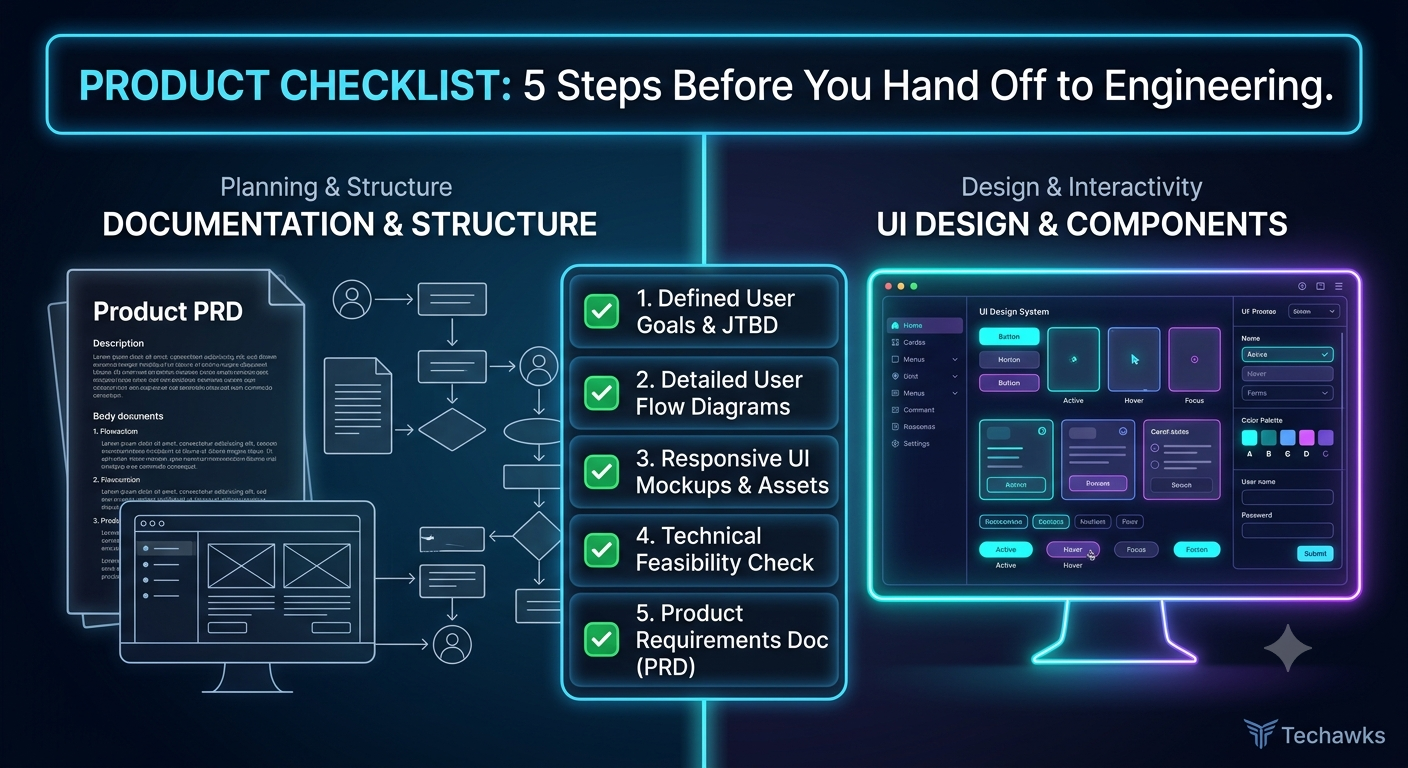
The Pre-Handoff Checklist: 5 Steps Every Product Manager & Designer Needs 🚀
📋 The Ultimate UX & Product Spec Checklist
1. User Intent & Problem Alignment
The "So What?": Does the spec clearly articulate the target user problem and core job-to-be-done (JTBD)?
Success Metrics Defined: Have you established clear, trackable KPIs (e.g., adoption rate, task completion time) before writing a single line of code?
Out-of-Scope Explicitly Stated: Is it crystal clear what this iteration will not include to prevent scope creep?
2. State Mapping & Edge Cases
The 5 Core UI States Covered: Have you designed for Ideal, Empty, Loading/Skeleton, Partial, and Error states?
Edge Cases Documented: What happens with max character limits, slow network connections, or expired user sessions?
Permission & Role Scenarios: How does this UI adapt for admins vs. read-only users?
3. System Consistency & Accessibility
Design System Compliance: Are you using existing design system tokens, components, and typography?
Accessibility (WCAG): Do color contrast ratios pass WCAG AA standards, and are screen reader labels/focus states mapped out?
Responsive Behaviors: Are layout shifts specified across desktop, tablet, and mobile viewports?
4. Technical Feasibility & Analytics
Engineering Sanity Check: Has a tech lead reviewed the proposed UI interactions for heavy API calls or performance bottlenecks?
Event Tracking Spec: Are analytics events (click streams, funnel conversions, modal opens) mapped with exact naming conventions?
5. Developer Experience (DX) Handoff
Figma Organization: Are designs cleaned up, frame dependencies detached, and autolayout applied?
Interactive Prototypes / Flowcharts: Is the user flow linked so developers don't have to guess transitions?
Key Takeaways
Design for Errors First: A great user experience is defined by how gracefully it handles edge cases and empty states.
Involve Engineering Early: Early feasibility alignment prevents costly design redos midway through sprint execution.
Track by Design: Define analytics tracking events in the spec stage so you aren't guessing user adoption later.
CTA
Ready to bridge the gap between product strategy, intuitive UX design, and seamless engineering delivery?
Join the Techawks Product, UX & Design Program today to build portfolio-worthy products, master design systems, and launch your career in tech leadership! 🎯
📋 The Ultimate UX & Product Spec Checklist
1. User Intent & Problem Alignment
The "So What?": Does the spec clearly articulate the target user problem and core job-to-be-done (JTBD)?
Success Metrics Defined: Have you established clear, trackable KPIs (e.g., adoption rate, task completion time) before writing a single line of code?
Out-of-Scope Explicitly Stated: Is it crystal clear what this iteration will not include to prevent scope creep?
2. State Mapping & Edge Cases
The 5 Core UI States Covered: Have you designed for Ideal, Empty, Loading/Skeleton, Partial, and Error states?
Edge Cases Documented: What happens with max character limits, slow network connections, or expired user sessions?
Permission & Role Scenarios: How does this UI adapt for admins vs. read-only users?
3. System Consistency & Accessibility
Design System Compliance: Are you using existing design system tokens, components, and typography?
Accessibility (WCAG): Do color contrast ratios pass WCAG AA standards, and are screen reader labels/focus states mapped out?
Responsive Behaviors: Are layout shifts specified across desktop, tablet, and mobile viewports?
4. Technical Feasibility & Analytics
Engineering Sanity Check: Has a tech lead reviewed the proposed UI interactions for heavy API calls or performance bottlenecks?
Event Tracking Spec: Are analytics events (click streams, funnel conversions, modal opens) mapped with exact naming conventions?
5. Developer Experience (DX) Handoff
Figma Organization: Are designs cleaned up, frame dependencies detached, and autolayout applied?
Interactive Prototypes / Flowcharts: Is the user flow linked so developers don't have to guess transitions?
Key Takeaways
Design for Errors First: A great user experience is defined by how gracefully it handles edge cases and empty states.
Involve Engineering Early: Early feasibility alignment prevents costly design redos midway through sprint execution.
Track by Design: Define analytics tracking events in the spec stage so you aren't guessing user adoption later.
CTA
Ready to bridge the gap between product strategy, intuitive UX design, and seamless engineering delivery?
Join the Techawks Product, UX & Design Program today to build portfolio-worthy products, master design systems, and launch your career in tech leadership! 🎯
The Pre-Handoff Checklist: 5 Steps Every Product Manager & Designer Needs 🚀
📋 The Ultimate UX & Product Spec Checklist
1. User Intent & Problem Alignment
The "So What?": Does the spec clearly articulate the target user problem and core job-to-be-done (JTBD)?
Success Metrics Defined: Have you established clear, trackable KPIs (e.g., adoption rate, task completion time) before writing a single line of code?
Out-of-Scope Explicitly Stated: Is it crystal clear what this iteration will not include to prevent scope creep?
2. State Mapping & Edge Cases
The 5 Core UI States Covered: Have you designed for Ideal, Empty, Loading/Skeleton, Partial, and Error states?
Edge Cases Documented: What happens with max character limits, slow network connections, or expired user sessions?
Permission & Role Scenarios: How does this UI adapt for admins vs. read-only users?
3. System Consistency & Accessibility
Design System Compliance: Are you using existing design system tokens, components, and typography?
Accessibility (WCAG): Do color contrast ratios pass WCAG AA standards, and are screen reader labels/focus states mapped out?
Responsive Behaviors: Are layout shifts specified across desktop, tablet, and mobile viewports?
4. Technical Feasibility & Analytics
Engineering Sanity Check: Has a tech lead reviewed the proposed UI interactions for heavy API calls or performance bottlenecks?
Event Tracking Spec: Are analytics events (click streams, funnel conversions, modal opens) mapped with exact naming conventions?
5. Developer Experience (DX) Handoff
Figma Organization: Are designs cleaned up, frame dependencies detached, and autolayout applied?
Interactive Prototypes / Flowcharts: Is the user flow linked so developers don't have to guess transitions?
Key Takeaways
Design for Errors First: A great user experience is defined by how gracefully it handles edge cases and empty states.
Involve Engineering Early: Early feasibility alignment prevents costly design redos midway through sprint execution.
Track by Design: Define analytics tracking events in the spec stage so you aren't guessing user adoption later.
CTA
Ready to bridge the gap between product strategy, intuitive UX design, and seamless engineering delivery?
Join the Techawks Product, UX & Design Program today to build portfolio-worthy products, master design systems, and launch your career in tech leadership! 🎯

 English
 Arabic
 French
 Spanish
 Portuguese
 Turkish
 Dutch
Dutch
 Italiano
 Russian
 Romaian
 Portuguese (Brazil)
 Greek
Greek