


Tool Review: Why Indian Engineering Teams Are Moving from Postman to Bruno
The Tool: Bruno (Created by Anoop M. D.)
Category: API Development & Testing Client
Best For: Backend Developers, QA Engineers, and DevOps Teams
🔍 The Problem with Traditional API Clients
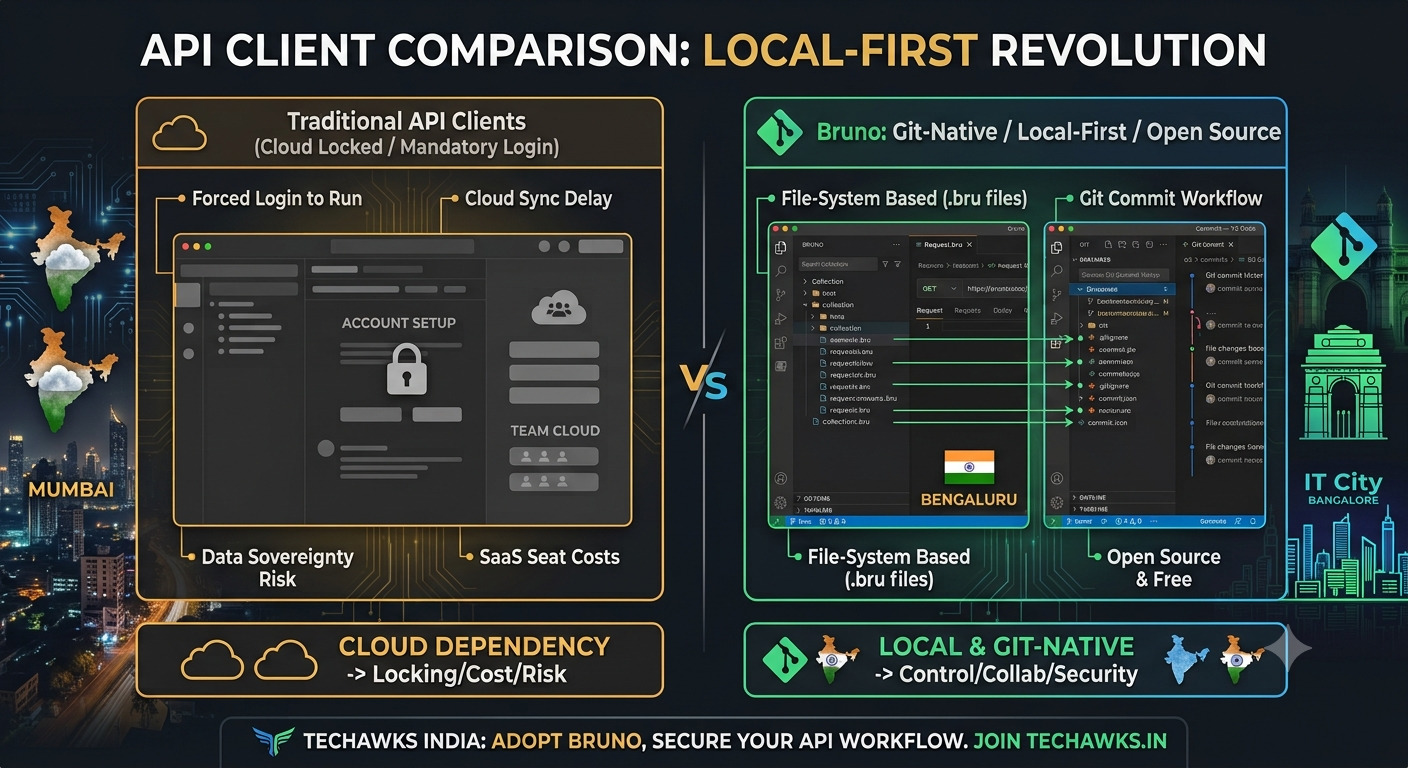
For years, Postman and Insomnia were default choices. But recent changes introduced cloud lock-in, forced account creation, and strict limits on local collection runs—slowing down fast-moving Indian engineering teams working in high-security or offline environments.
⚙️ Key Features That Make Bruno Stand Out
1. Git-Native & File-System First
How it works: Bruno saves your API requests as plain text .bru files directly inside your project code folder.
Why it matters: No more exporting JSON blobs. You can version-control, review, and merge API collections using standard git commit and git pull workflows right alongside your codebase.
2. 100% Offline & Security-Compliant
How it works: Requests are executed locally from your device without proxying through third-party servers.
Why it matters: Meets strict data sovereignty standards for fintech, healthcare, and enterprise apps in India. Your sensitive tokens and payload data never leave your local machine.
3. Zero Paywalls for Local Workflows
How it works: Unlimited local collection runs, environment variables, and scripting capabilities.
Why it matters: Indian startups and developers can collaborate seamlessly using existing Git infrastructure without incurring extra SaaS seat costs.
🛠️ Quick Setup Guide (Actionable Steps)
1 Install Bruno:
# MacOS / Linux (via Homebrew)
brew install bruno
# Windows (via Winget)
winget install Bruno.Bruno
2. Initialize a Collection: Open Bruno $\to$ Click Create Collection $\to$ Pick your existing project root directory (e.g., ./my-backend-repo/api-specs).
3. Commit to Git: Add .bru files to your Git repository so your entire team instantly inherits updated API endpoints when pull requests are merged.
Key Takeaways
Data Privacy: Local storage ensures API credentials and payloads stay private.
Git Collaboration: Track API changes using standard pull requests—no vendor lock-in.
Cost Efficient: Open-source core eliminates per-seat SaaS costs for growing dev teams.
CTA
🇮🇳 Building tech for scale in India?
Stay ahead of the curve with real-world developer tools, localized case studies, and engineering insights.
👉 Join Techawks India to connect with thousands of local developers and architects building the next generation of software!
The Tool: Bruno (Created by Anoop M. D.)
Category: API Development & Testing Client
Best For: Backend Developers, QA Engineers, and DevOps Teams
🔍 The Problem with Traditional API Clients
For years, Postman and Insomnia were default choices. But recent changes introduced cloud lock-in, forced account creation, and strict limits on local collection runs—slowing down fast-moving Indian engineering teams working in high-security or offline environments.
⚙️ Key Features That Make Bruno Stand Out
1. Git-Native & File-System First
How it works: Bruno saves your API requests as plain text .bru files directly inside your project code folder.
Why it matters: No more exporting JSON blobs. You can version-control, review, and merge API collections using standard git commit and git pull workflows right alongside your codebase.
2. 100% Offline & Security-Compliant
How it works: Requests are executed locally from your device without proxying through third-party servers.
Why it matters: Meets strict data sovereignty standards for fintech, healthcare, and enterprise apps in India. Your sensitive tokens and payload data never leave your local machine.
3. Zero Paywalls for Local Workflows
How it works: Unlimited local collection runs, environment variables, and scripting capabilities.
Why it matters: Indian startups and developers can collaborate seamlessly using existing Git infrastructure without incurring extra SaaS seat costs.
🛠️ Quick Setup Guide (Actionable Steps)
1 Install Bruno:
# MacOS / Linux (via Homebrew)
brew install bruno
# Windows (via Winget)
winget install Bruno.Bruno
2. Initialize a Collection: Open Bruno $\to$ Click Create Collection $\to$ Pick your existing project root directory (e.g., ./my-backend-repo/api-specs).
3. Commit to Git: Add .bru files to your Git repository so your entire team instantly inherits updated API endpoints when pull requests are merged.
Key Takeaways
Data Privacy: Local storage ensures API credentials and payloads stay private.
Git Collaboration: Track API changes using standard pull requests—no vendor lock-in.
Cost Efficient: Open-source core eliminates per-seat SaaS costs for growing dev teams.
CTA
🇮🇳 Building tech for scale in India?
Stay ahead of the curve with real-world developer tools, localized case studies, and engineering insights.
👉 Join Techawks India to connect with thousands of local developers and architects building the next generation of software!
Tool Review: Why Indian Engineering Teams Are Moving from Postman to Bruno
The Tool: Bruno (Created by Anoop M. D.)
Category: API Development & Testing Client
Best For: Backend Developers, QA Engineers, and DevOps Teams
🔍 The Problem with Traditional API Clients
For years, Postman and Insomnia were default choices. But recent changes introduced cloud lock-in, forced account creation, and strict limits on local collection runs—slowing down fast-moving Indian engineering teams working in high-security or offline environments.
⚙️ Key Features That Make Bruno Stand Out
1. Git-Native & File-System First
How it works: Bruno saves your API requests as plain text .bru files directly inside your project code folder.
Why it matters: No more exporting JSON blobs. You can version-control, review, and merge API collections using standard git commit and git pull workflows right alongside your codebase.
2. 100% Offline & Security-Compliant
How it works: Requests are executed locally from your device without proxying through third-party servers.
Why it matters: Meets strict data sovereignty standards for fintech, healthcare, and enterprise apps in India. Your sensitive tokens and payload data never leave your local machine.
3. Zero Paywalls for Local Workflows
How it works: Unlimited local collection runs, environment variables, and scripting capabilities.
Why it matters: Indian startups and developers can collaborate seamlessly using existing Git infrastructure without incurring extra SaaS seat costs.
🛠️ Quick Setup Guide (Actionable Steps)
1 Install Bruno:
# MacOS / Linux (via Homebrew)
brew install bruno
# Windows (via Winget)
winget install Bruno.Bruno
2. Initialize a Collection: Open Bruno $\to$ Click Create Collection $\to$ Pick your existing project root directory (e.g., ./my-backend-repo/api-specs).
3. Commit to Git: Add .bru files to your Git repository so your entire team instantly inherits updated API endpoints when pull requests are merged.
Key Takeaways
Data Privacy: Local storage ensures API credentials and payloads stay private.
Git Collaboration: Track API changes using standard pull requests—no vendor lock-in.
Cost Efficient: Open-source core eliminates per-seat SaaS costs for growing dev teams.
CTA
🇮🇳 Building tech for scale in India?
Stay ahead of the curve with real-world developer tools, localized case studies, and engineering insights.
👉 Join Techawks India to connect with thousands of local developers and architects building the next generation of software!

 English
 Arabic
 French
 Spanish
 Portuguese
 Deutsch
 Turkish
 Dutch
Dutch
 Italiano
 Romaian
 Portuguese (Brazil)
 Greek
Greek