


The Engineering Guide to FinOps: How to Slash Your AWS Bill Without Sacrificing Performance
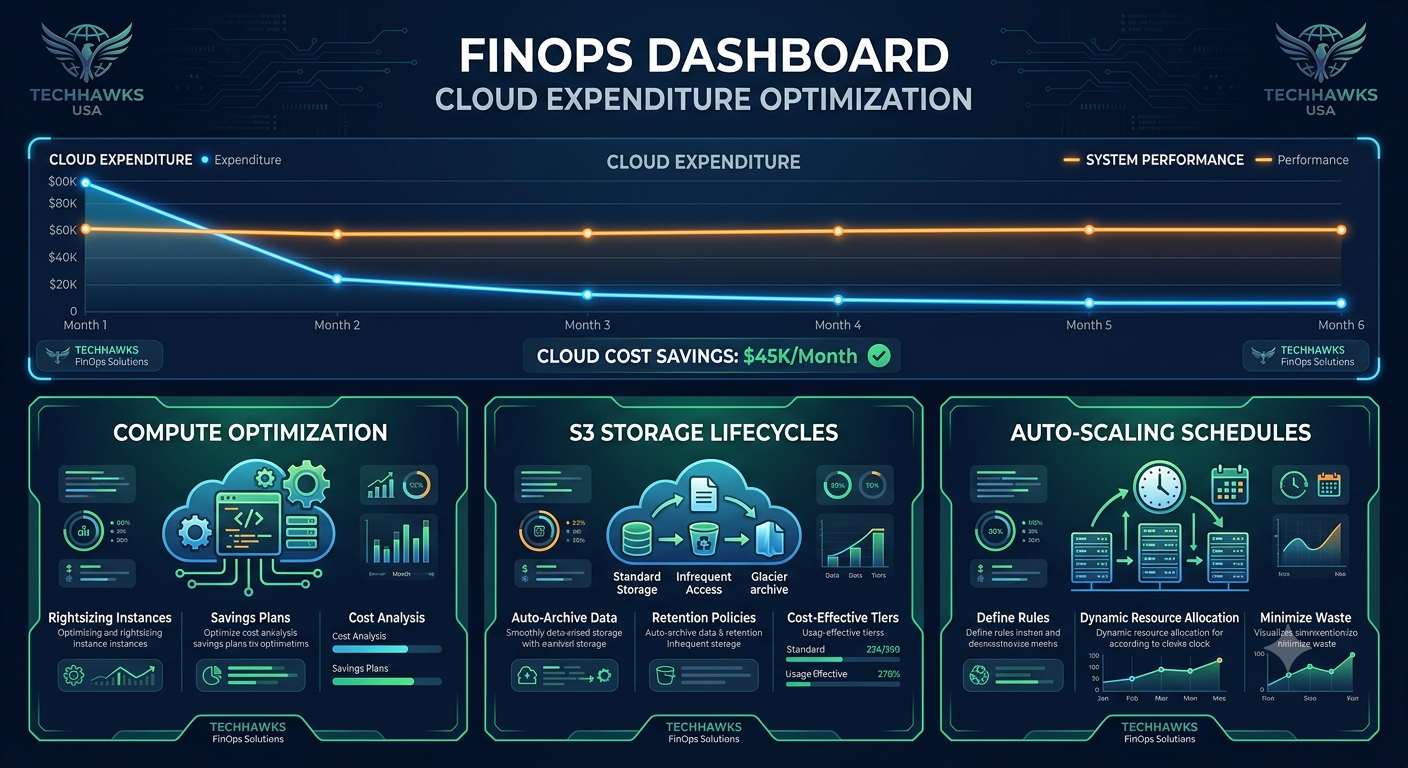
Cloud optimization isn't just an accounting problem—it’s an engineering discipline. Moving from raw infrastructure provisioning to a FinOps-driven culture allows engineering teams to ship features fast while keeping cloud spend lean and predictable.
Here is a practical, developer-tested framework to trim cloud bloat across your AWS environment:
Leverage Savings Plans & Reserved Instances (RIs) Smartly
Don't run baseline workloads on Pay-As-You-Go pricing. Analyze your compute utilization over a 30-day window and commit to AWS Savings Plans or Compute RIs for consistent workloads to unlock up to 72% cost savings.
Reserve Spot Instances for stateless, fault-tolerant background processing, CI/CD workers, and batch analytics jobs.
Automate Right-Sizing and Idle Resource Cleanup
Use AWS Compute Optimizer to identify over-provisioned EC2 instances, RDS databases, and ECS tasks based on actual CPU and memory utilization patterns.
Implement automated schedules (e.g., via AWS EventBridge and Lambda) to turn off non-production development and staging environments outside of US business hours.
Optimize Storage Lifecycles
Unused EBS volumes and orphaned Elastic IPs quietly drain thousands annually. Run routine automated scripts to delete unattached EBS snapshots and idle resources.
Set up S3 Lifecycle Policies to automatically transition cold data from S3 Standard to S3 Infrequent Access (IA) or Glacier Deep Archive based on object age.
Tag Every Resource for Accountability
Enforce mandatory cost-allocation tags (Environment, Owner, Project, CostCenter) via AWS Organizations policies. If an engineer can't answer who owns a resource, it shouldn't exist in production.
Key Takeaways
Commit to Baselines: Move persistent workloads to Savings Plans and off-peak workloads to Spot Instances.
Automate Non-Prod Downtime: Stop paying for dev environments running at 2:00 AM on weekends.
Lifecycle Cold Data: Move stale S3 data to archival tiers to dramatically cut storage fees.
Enforce Cost Tagging: Maintain total operational visibility across all AWS accounts.
CTA
Ready to optimize your cloud architecture and share best practices with senior engineers and cloud architects across the US?
[Join Techawks USA today] and be part of the community building smarter, leaner tech systems.
Cloud optimization isn't just an accounting problem—it’s an engineering discipline. Moving from raw infrastructure provisioning to a FinOps-driven culture allows engineering teams to ship features fast while keeping cloud spend lean and predictable.
Here is a practical, developer-tested framework to trim cloud bloat across your AWS environment:
Leverage Savings Plans & Reserved Instances (RIs) Smartly
Don't run baseline workloads on Pay-As-You-Go pricing. Analyze your compute utilization over a 30-day window and commit to AWS Savings Plans or Compute RIs for consistent workloads to unlock up to 72% cost savings.
Reserve Spot Instances for stateless, fault-tolerant background processing, CI/CD workers, and batch analytics jobs.
Automate Right-Sizing and Idle Resource Cleanup
Use AWS Compute Optimizer to identify over-provisioned EC2 instances, RDS databases, and ECS tasks based on actual CPU and memory utilization patterns.
Implement automated schedules (e.g., via AWS EventBridge and Lambda) to turn off non-production development and staging environments outside of US business hours.
Optimize Storage Lifecycles
Unused EBS volumes and orphaned Elastic IPs quietly drain thousands annually. Run routine automated scripts to delete unattached EBS snapshots and idle resources.
Set up S3 Lifecycle Policies to automatically transition cold data from S3 Standard to S3 Infrequent Access (IA) or Glacier Deep Archive based on object age.
Tag Every Resource for Accountability
Enforce mandatory cost-allocation tags (Environment, Owner, Project, CostCenter) via AWS Organizations policies. If an engineer can't answer who owns a resource, it shouldn't exist in production.
Key Takeaways
Commit to Baselines: Move persistent workloads to Savings Plans and off-peak workloads to Spot Instances.
Automate Non-Prod Downtime: Stop paying for dev environments running at 2:00 AM on weekends.
Lifecycle Cold Data: Move stale S3 data to archival tiers to dramatically cut storage fees.
Enforce Cost Tagging: Maintain total operational visibility across all AWS accounts.
CTA
Ready to optimize your cloud architecture and share best practices with senior engineers and cloud architects across the US?
[Join Techawks USA today] and be part of the community building smarter, leaner tech systems.
The Engineering Guide to FinOps: How to Slash Your AWS Bill Without Sacrificing Performance
Cloud optimization isn't just an accounting problem—it’s an engineering discipline. Moving from raw infrastructure provisioning to a FinOps-driven culture allows engineering teams to ship features fast while keeping cloud spend lean and predictable.
Here is a practical, developer-tested framework to trim cloud bloat across your AWS environment:
Leverage Savings Plans & Reserved Instances (RIs) Smartly
Don't run baseline workloads on Pay-As-You-Go pricing. Analyze your compute utilization over a 30-day window and commit to AWS Savings Plans or Compute RIs for consistent workloads to unlock up to 72% cost savings.
Reserve Spot Instances for stateless, fault-tolerant background processing, CI/CD workers, and batch analytics jobs.
Automate Right-Sizing and Idle Resource Cleanup
Use AWS Compute Optimizer to identify over-provisioned EC2 instances, RDS databases, and ECS tasks based on actual CPU and memory utilization patterns.
Implement automated schedules (e.g., via AWS EventBridge and Lambda) to turn off non-production development and staging environments outside of US business hours.
Optimize Storage Lifecycles
Unused EBS volumes and orphaned Elastic IPs quietly drain thousands annually. Run routine automated scripts to delete unattached EBS snapshots and idle resources.
Set up S3 Lifecycle Policies to automatically transition cold data from S3 Standard to S3 Infrequent Access (IA) or Glacier Deep Archive based on object age.
Tag Every Resource for Accountability
Enforce mandatory cost-allocation tags (Environment, Owner, Project, CostCenter) via AWS Organizations policies. If an engineer can't answer who owns a resource, it shouldn't exist in production.
Key Takeaways
Commit to Baselines: Move persistent workloads to Savings Plans and off-peak workloads to Spot Instances.
Automate Non-Prod Downtime: Stop paying for dev environments running at 2:00 AM on weekends.
Lifecycle Cold Data: Move stale S3 data to archival tiers to dramatically cut storage fees.
Enforce Cost Tagging: Maintain total operational visibility across all AWS accounts.
CTA
Ready to optimize your cloud architecture and share best practices with senior engineers and cloud architects across the US?
[Join Techawks USA today] and be part of the community building smarter, leaner tech systems.

 English
 Arabic
 French
 Spanish
 Deutsch
 Turkish
 Dutch
Dutch
 Italiano
 Russian
 Romaian
 Portuguese (Brazil)
 Greek
Greek