• The Reverse-Engineering Method: How to Map Your Tech Career Backwards to Fast-Track Your Next Role
    Navigating a career move in technology—whether transitioning into engineering, product management, or data analytics—can feel overwhelming due to endless skill lists and vague job descriptions.
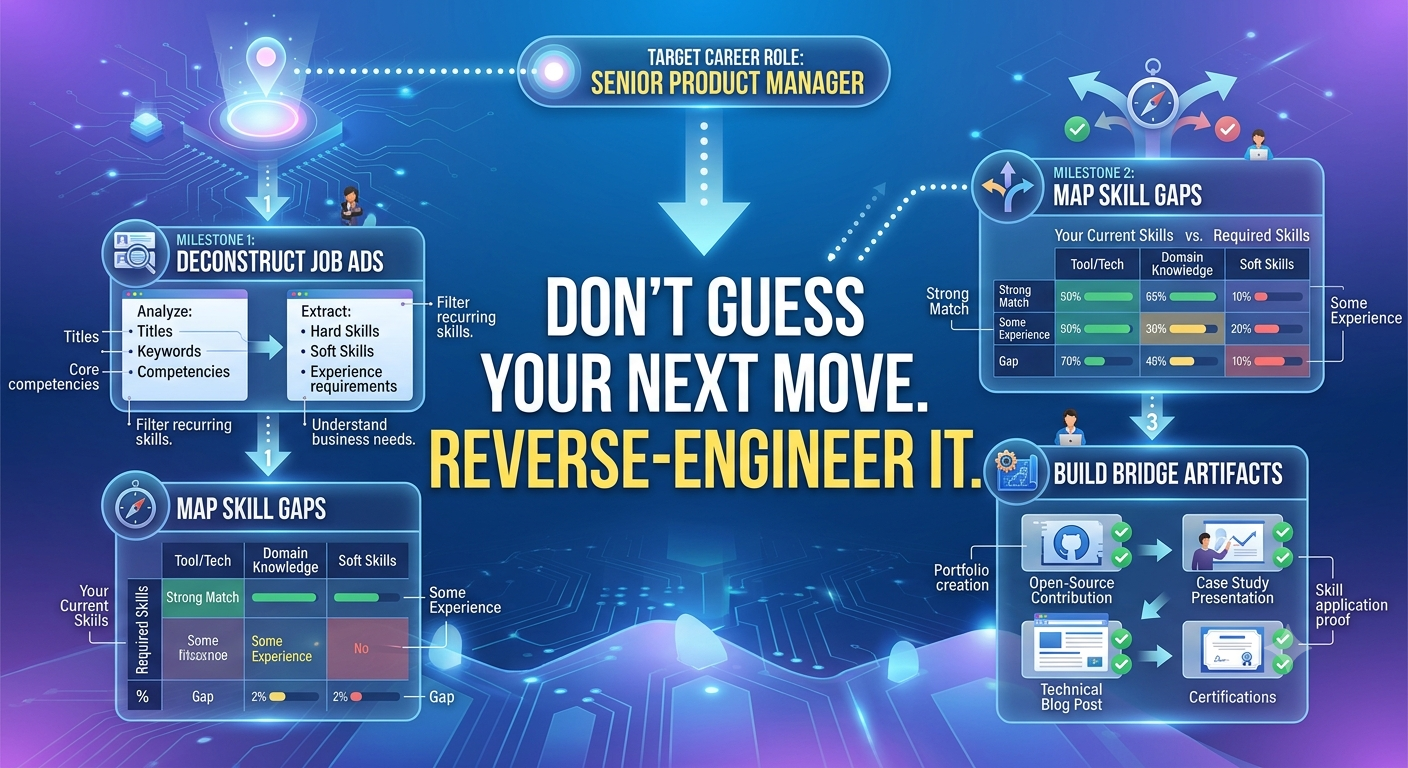
    Instead of trying to learn everything, top candidates use reverse-engineering to streamline their preparation. Here is a 3-step framework to map your path with precision:


    1. Aggregate a "Master Skills Matrix"
    Collect 10 to 15 job postings for your desired role across different companies. Paste the requirements into a simple spreadsheet or document and highlight recurring themes:
    Must-have core tech stack: Tools or languages mentioned in over 70% of the listings.
    Secondary domain knowledge: Methodologies (e.g., Agile, CI/CD, A/B testing) or soft skills (e.g., cross-functional stakeholder management).
    Key performance metrics: What outcomes do companies expect this person to drive?


    2. Perform an Honest Gap Analysis
    Compare your current background directly against the Master Skills Matrix. Group your qualifications into three distinct tiers:
    Green (Proven): Skills you have applied in past projects with quantifiable outcomes.
    Yellow (Theoretical): Concepts you understand, but haven't built or delivered in a professional environment.
    Red (Missing): Critical skills or tools you haven't touched yet.
    Your immediate focus should only be turning Yellow items into Green through focused, portfolio-backed execution—not trying to resolve every Red item at once.


    3. Build "Bridge Artifacts"
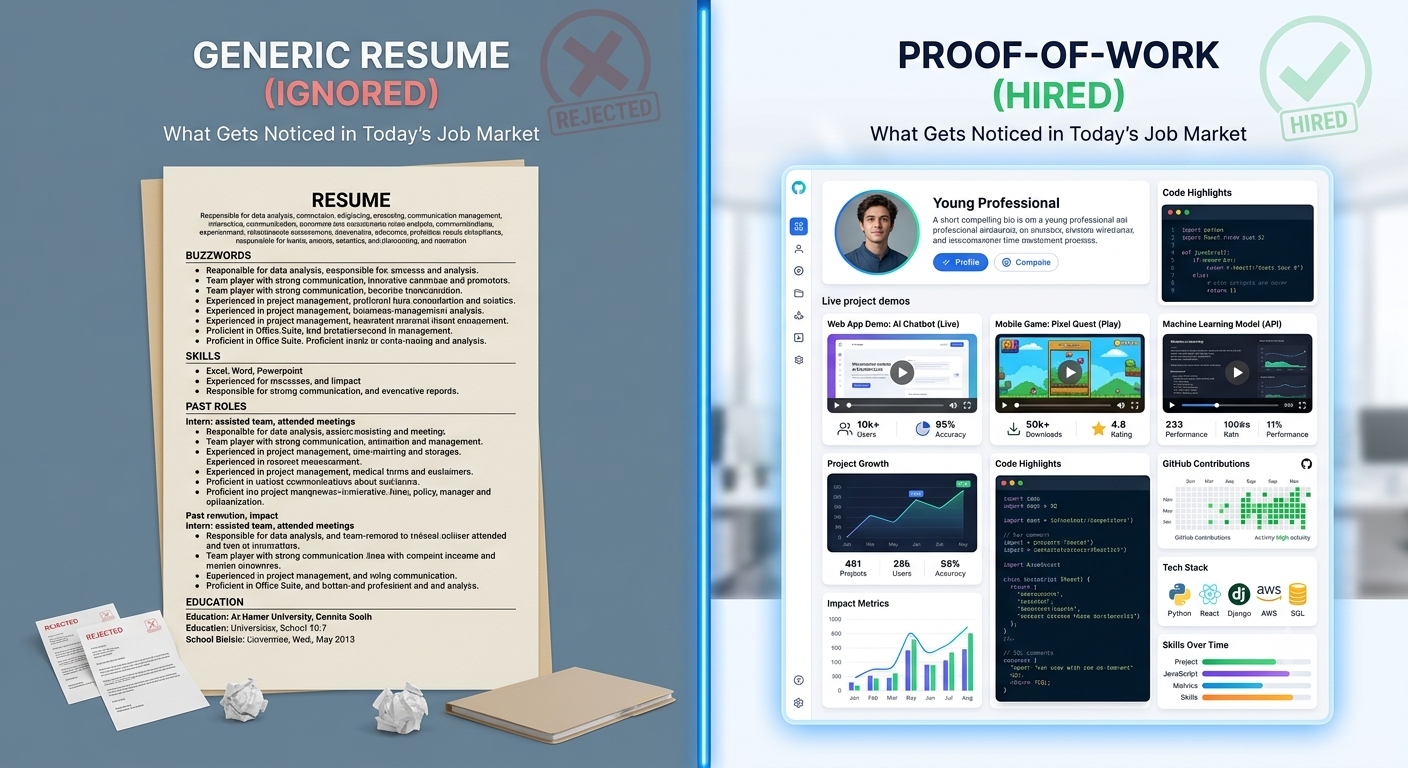
    Employers don't hire candidates based on course certificates; they hire based on proof of execution. Convert your "Yellow" skills into public proof:
    If you lack professional experience in a required framework, build a fully deployed open-source project that solves a real-world problem using it.
    If you lack stakeholder management experience, document how you coordinated cross-functional feedback during a side project or volunteer initiative.
    When you present concrete artifacts alongside your resume, you bypass the guesswork and demonstrate readiness on day one.


    Key Takeaways
    Deconstruct the market: Build your strategy around real job descriptions, not generalized advice.
    Prioritize bridging the gap: Focus on turning theoretical knowledge into verifiable proof of work.
    Proof > Certification: A working project or documented problem-solving framework carries far more weight than a completion badge.


    CTA
    Looking for structured guidance on navigating tech recruitment, refining your application strategy, or discovering your next role? Join Tech Jobs & Opportunities on Techawks today to gain insights, get mentorship, and connect with active recruiters.
    The Reverse-Engineering Method: How to Map Your Tech Career Backwards to Fast-Track Your Next Role Navigating a career move in technology—whether transitioning into engineering, product management, or data analytics—can feel overwhelming due to endless skill lists and vague job descriptions. Instead of trying to learn everything, top candidates use reverse-engineering to streamline their preparation. Here is a 3-step framework to map your path with precision: 1. Aggregate a "Master Skills Matrix" Collect 10 to 15 job postings for your desired role across different companies. Paste the requirements into a simple spreadsheet or document and highlight recurring themes: Must-have core tech stack: Tools or languages mentioned in over 70% of the listings. Secondary domain knowledge: Methodologies (e.g., Agile, CI/CD, A/B testing) or soft skills (e.g., cross-functional stakeholder management). Key performance metrics: What outcomes do companies expect this person to drive? 2. Perform an Honest Gap Analysis Compare your current background directly against the Master Skills Matrix. Group your qualifications into three distinct tiers: Green (Proven): Skills you have applied in past projects with quantifiable outcomes. Yellow (Theoretical): Concepts you understand, but haven't built or delivered in a professional environment. Red (Missing): Critical skills or tools you haven't touched yet. Your immediate focus should only be turning Yellow items into Green through focused, portfolio-backed execution—not trying to resolve every Red item at once. 3. Build "Bridge Artifacts" Employers don't hire candidates based on course certificates; they hire based on proof of execution. Convert your "Yellow" skills into public proof: If you lack professional experience in a required framework, build a fully deployed open-source project that solves a real-world problem using it. If you lack stakeholder management experience, document how you coordinated cross-functional feedback during a side project or volunteer initiative. When you present concrete artifacts alongside your resume, you bypass the guesswork and demonstrate readiness on day one. Key Takeaways Deconstruct the market: Build your strategy around real job descriptions, not generalized advice. Prioritize bridging the gap: Focus on turning theoretical knowledge into verifiable proof of work. Proof > Certification: A working project or documented problem-solving framework carries far more weight than a completion badge. CTA Looking for structured guidance on navigating tech recruitment, refining your application strategy, or discovering your next role? Join Tech Jobs & Opportunities on Techawks today to gain insights, get mentorship, and connect with active recruiters.
    0 Reacties 0 aandelen 1K Views 0 voorbeeld
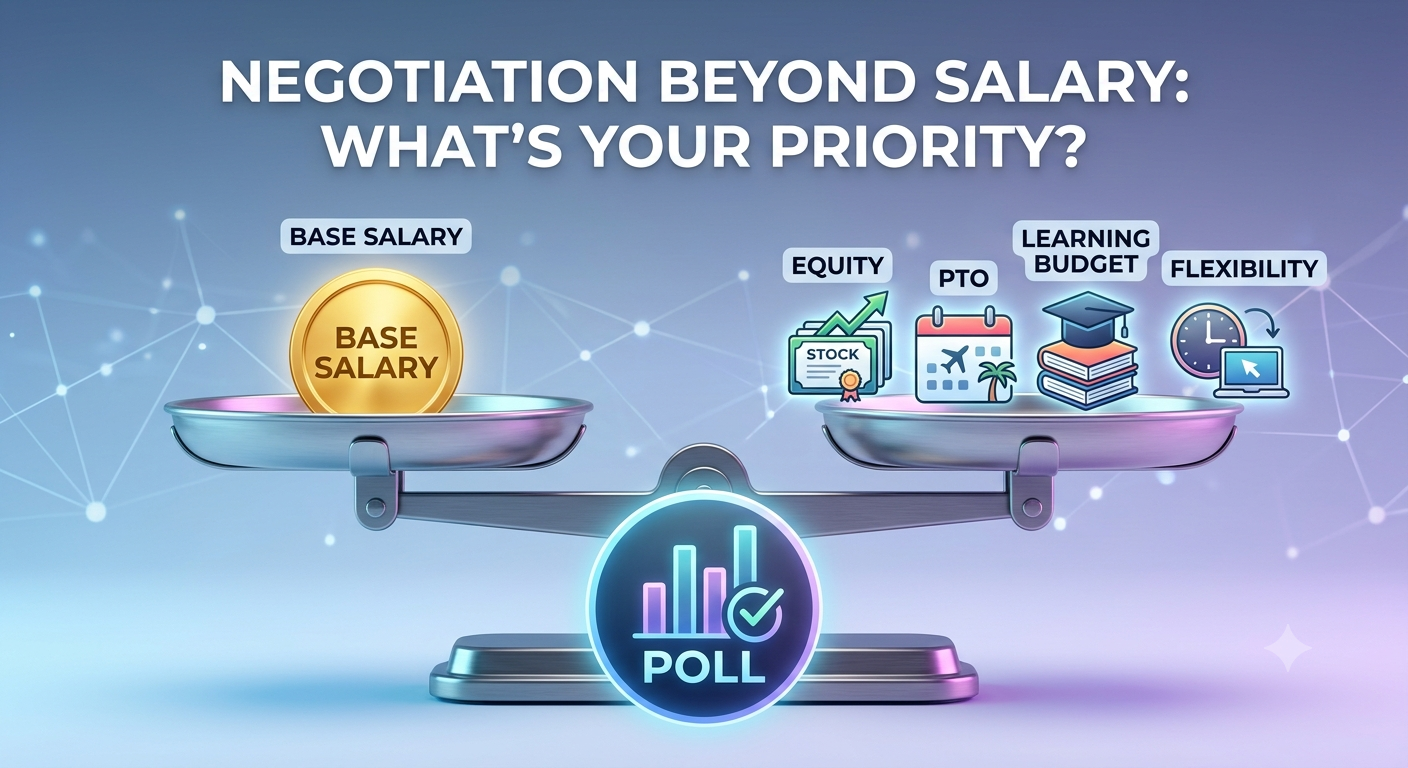
  • Job Offer Negotiation: What Factor Takes Priority After Base Salary?
    Negotiating a job offer isn't just about pushing for a higher starting salary—it's about building a comprehensive compensation package aligned with your life and career goals.
    When base salary hits a hard cap during hiring discussions, candidates often overlook high-value non-salary levers that are far easier for hiring managers to approve:


    1. Equity & Performance Bonuses
    Stock options, RSUs, or performance bonuses build wealth over time. In high-growth environments, a well-structured equity grant can far outpace annual salary increments. Always ask about vesting schedules and baseline metrics.


    2. Learning & Development Budgets
    Stagnant skills lead to stagnant earnings. Negotiating dedicated budget for conferences, specialized certifications, or technical courses guarantees that your market value continues to rise on the company's dime.


    3. Schedule Flexibility & Remote Working Stipends
    Time and autonomy are valuable currency. Securing explicit agreements on hybrid schedules, flexible hours, or initial home-office setup allowances directly affects your daily quality of life and reduces out-of-pocket expenses.


    πŸ“Š Community Poll
    If a company reaches its absolute limit on your base salary request, which secondary perk do you prioritize negotiating next?
    🟒 Equity / Stock Options / Sign-on Bonus (Long-term financial upside)
    🟑 Flexible Hours / Remote Autonomy (Work-life balance & time saved)
    πŸ”΅ Learning & Development Allowance (Conferences, courses, & growth)
    🟣 Additional Paid Time Off (PTO) (Rest & personal time)
    (Vote in the poll above and drop your negotiation strategies in the comments!)


    Key Takeaways
    Think beyond the base: Base salary is only one component of total compensation (TC).
    Target flexible levers: Budgets for learning or one-time sign-on bonuses often come from different internal pools and are easier for managers to secure.
    Get everything in writing: Ensure any non-salary agreements (like remote days or certification coverage) are detailed in the formal offer letter.


    CTA
    Navigating job offers, salary negotiations, or career pivots? Join Tech Jobs & Opportunities on Techawks today to get salary benchmarks, interview insights, and advice from experienced professionals.
    Job Offer Negotiation: What Factor Takes Priority After Base Salary? Negotiating a job offer isn't just about pushing for a higher starting salary—it's about building a comprehensive compensation package aligned with your life and career goals. When base salary hits a hard cap during hiring discussions, candidates often overlook high-value non-salary levers that are far easier for hiring managers to approve: 1. Equity & Performance Bonuses Stock options, RSUs, or performance bonuses build wealth over time. In high-growth environments, a well-structured equity grant can far outpace annual salary increments. Always ask about vesting schedules and baseline metrics. 2. Learning & Development Budgets Stagnant skills lead to stagnant earnings. Negotiating dedicated budget for conferences, specialized certifications, or technical courses guarantees that your market value continues to rise on the company's dime. 3. Schedule Flexibility & Remote Working Stipends Time and autonomy are valuable currency. Securing explicit agreements on hybrid schedules, flexible hours, or initial home-office setup allowances directly affects your daily quality of life and reduces out-of-pocket expenses. πŸ“Š Community Poll If a company reaches its absolute limit on your base salary request, which secondary perk do you prioritize negotiating next? 🟒 Equity / Stock Options / Sign-on Bonus (Long-term financial upside) 🟑 Flexible Hours / Remote Autonomy (Work-life balance & time saved) πŸ”΅ Learning & Development Allowance (Conferences, courses, & growth) 🟣 Additional Paid Time Off (PTO) (Rest & personal time) (Vote in the poll above and drop your negotiation strategies in the comments!) Key Takeaways Think beyond the base: Base salary is only one component of total compensation (TC). Target flexible levers: Budgets for learning or one-time sign-on bonuses often come from different internal pools and are easier for managers to secure. Get everything in writing: Ensure any non-salary agreements (like remote days or certification coverage) are detailed in the formal offer letter. CTA Navigating job offers, salary negotiations, or career pivots? Join Tech Jobs & Opportunities on Techawks today to get salary benchmarks, interview insights, and advice from experienced professionals.
    0 Reacties 0 aandelen 817 Views 0 voorbeeld
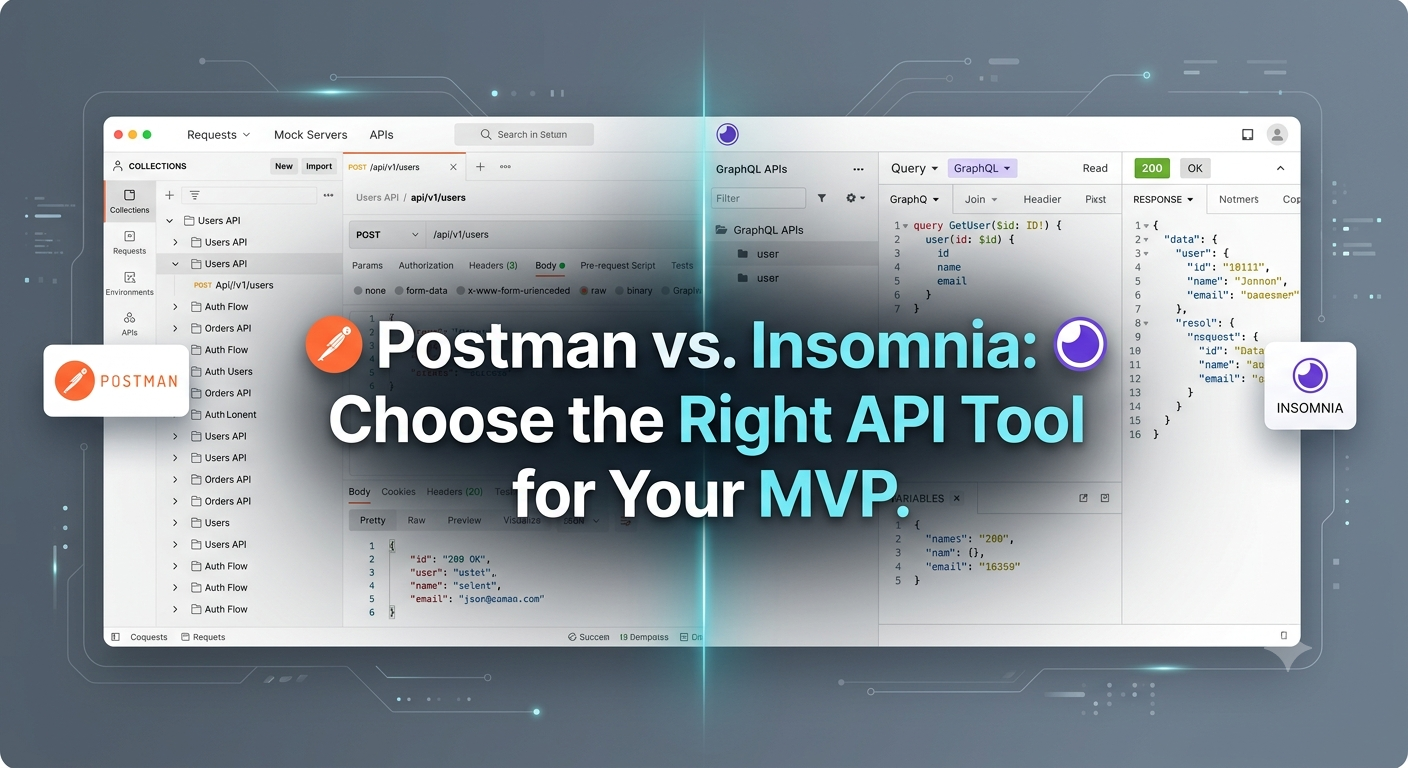
  • Tool Review: Postman vs. Insomnia—Which API Client Best Fits Your Early-Stage Startup Stack?
    Early-stage startups need tools that accelerate product-market fit without introducing unnecessary operational overhead. While both Postman and Insomnia allow engineering teams to design, test, and debug APIs, their feature sets align with distinct team structures and growth stages.
    Here is a practical breakdown to help founders select the optimal API client for their engineering stack.


    Feature Comparison Matrix
    Feature / Criteria Postman Insomnia
    Primary Focus Full API lifecycle & workspace platform Lightweight, high-speed HTTP & GraphQL testing
    User Interface Feature-rich, complex navigation Clean, minimal, distraction-free
    GraphQL Support Good (integrated into larger suite) Native, best-in-class schema inspection
    Mock Servers & Docs Built-in out of the box Available via plugins / enterprise tier
    Resource Footprint Higher RAM/CPU consumption Lightweight and fast performance
    Local Git Sync Cloud-first (requires account for workspace sync) Excellent native Git integration (GitOps friendly)


    When to Choose Postman
    Select Postman if your startup is building complex, multi-service architectures or public-facing APIs that require detailed public documentation.
    Turnkey API Documentation: Postman automatically generates web-readable API documentation from collections, saving frontend and backend teams valuable coordination time.
    Integrated Mock Servers: Developers can create mock endpoints in minutes, enabling frontend teams to build UI components before backend logic is fully written.
    Cross-Functional Workspaces: Ideal if non-technical team members (like Product Managers or QA leads) need to inspect and execute API calls via pre-configured environments.


    When to Choose Insomnia
    Select Insomnia if your startup values extreme execution speed, a clean interface, or heavily leverages GraphQL.
    Lightweight Performance: Insomnia launches instantly and consumes significantly fewer system resources, keeping developer environments agile.
    First-Class GraphQL DX: Insomnia offers auto-completion, schema reloading, and nested query building with unmatched fluidity.
    GitOps Alignment: Native Git integration allows developers to store API specifications and collections directly within their repository alongside code, keeping version control centralized and local.


    Key Takeaways
    Match tools to architectural needs: Choose Postman for end-to-end API lifecycle management and shared documentation; choose Insomnia for raw developer speed, GraphQL, and Git-centered workflows.
    Decentralize documentation early: Using built-in collection tools prevents knowledge siloing as you bring on contract developers or new engineering hires.
    Prioritize workflow consistency: Standardizing your API client early reduces integration bugs between frontend and backend services.


    CTA
    Building an early-stage startup and navigating architecture or tool selection? Join Startup Founders & Entrepreneurs on Techawks today to share technical strategies, review product frameworks, and scale alongside fellow builders.
    Tool Review: Postman vs. Insomnia—Which API Client Best Fits Your Early-Stage Startup Stack? Early-stage startups need tools that accelerate product-market fit without introducing unnecessary operational overhead. While both Postman and Insomnia allow engineering teams to design, test, and debug APIs, their feature sets align with distinct team structures and growth stages. Here is a practical breakdown to help founders select the optimal API client for their engineering stack. Feature Comparison Matrix Feature / Criteria Postman Insomnia Primary Focus Full API lifecycle & workspace platform Lightweight, high-speed HTTP & GraphQL testing User Interface Feature-rich, complex navigation Clean, minimal, distraction-free GraphQL Support Good (integrated into larger suite) Native, best-in-class schema inspection Mock Servers & Docs Built-in out of the box Available via plugins / enterprise tier Resource Footprint Higher RAM/CPU consumption Lightweight and fast performance Local Git Sync Cloud-first (requires account for workspace sync) Excellent native Git integration (GitOps friendly) When to Choose Postman Select Postman if your startup is building complex, multi-service architectures or public-facing APIs that require detailed public documentation. Turnkey API Documentation: Postman automatically generates web-readable API documentation from collections, saving frontend and backend teams valuable coordination time. Integrated Mock Servers: Developers can create mock endpoints in minutes, enabling frontend teams to build UI components before backend logic is fully written. Cross-Functional Workspaces: Ideal if non-technical team members (like Product Managers or QA leads) need to inspect and execute API calls via pre-configured environments. When to Choose Insomnia Select Insomnia if your startup values extreme execution speed, a clean interface, or heavily leverages GraphQL. Lightweight Performance: Insomnia launches instantly and consumes significantly fewer system resources, keeping developer environments agile. First-Class GraphQL DX: Insomnia offers auto-completion, schema reloading, and nested query building with unmatched fluidity. GitOps Alignment: Native Git integration allows developers to store API specifications and collections directly within their repository alongside code, keeping version control centralized and local. Key Takeaways Match tools to architectural needs: Choose Postman for end-to-end API lifecycle management and shared documentation; choose Insomnia for raw developer speed, GraphQL, and Git-centered workflows. Decentralize documentation early: Using built-in collection tools prevents knowledge siloing as you bring on contract developers or new engineering hires. Prioritize workflow consistency: Standardizing your API client early reduces integration bugs between frontend and backend services. CTA Building an early-stage startup and navigating architecture or tool selection? Join Startup Founders & Entrepreneurs on Techawks today to share technical strategies, review product frameworks, and scale alongside fellow builders.
    0 Reacties 0 aandelen 818 Views 0 voorbeeld
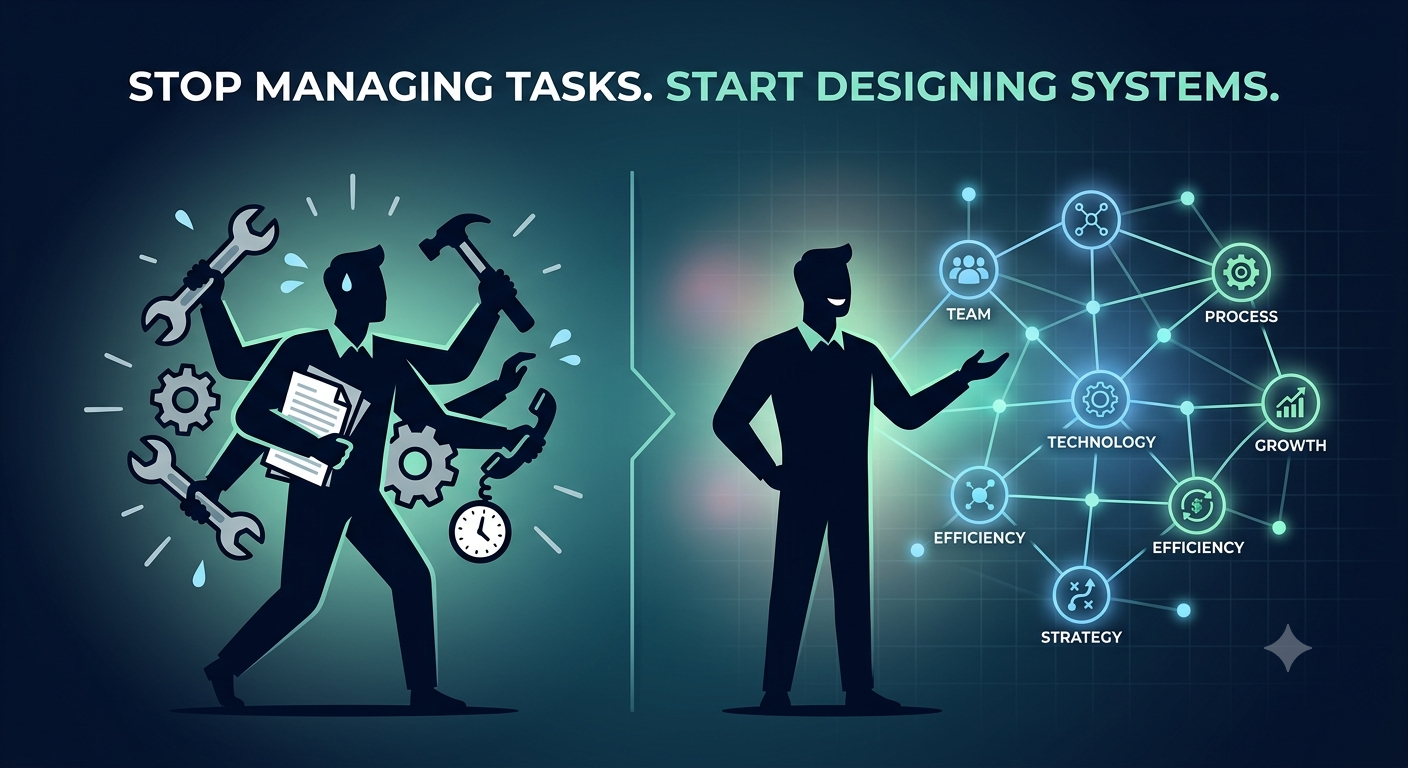
  • The First-10-Hires Framework: Transitioning from Solo Founder to Systems Builder


    Many technical and product founders fall into a common trap when expanding their team: hiring for general bandwidth instead of specific leverage. They bring on talented generalists, delegate execution verbally, and then find themselves constantly intervening to fix alignment or execution errors.
    To build an organization that scales reliably beyond your direct capacity, shift your founder mindset from execution operator to systems architect using this 3-step hiring framework:


    1. Document the Workflow Before Hiring
    Never recruit for a core operational role until you have manually executed the workflow yourself and documented a baseline protocol.
    Define the input and output: What specific data, asset, or context initiates the task, and what exact result defines "done"?
    Outline standard operating principles: Give your early hires clear boundary conditions and guidelines, not micro-managed task lists.
    Set success metrics: Establish 1–2 quantifiable key performance indicators (KPIs) for the role from day one.


    2. Hire for "Problem-Ownership," Not Just Skill Sets
    In early-stage startups, scope is fluid. Hiring someone who only executes defined tickets requires you to remain the perpetual problem solver.
    Look for ownership history: During interviews, evaluate candidates on how they handled ambiguity in past roles.
    Test for initiative: Ask: "When presented with a broken process without an obvious manager, how did you identify and resolve the root cause?"
    Delegate outcomes, not activities: Assign responsibility for a metric (e.g., "Reduce onboarding drop-off by 15%") rather than an isolated task list.


    3. Build Asynchronous Decision Records
    As teams grow past 5 to 10 people, context fragmentation slows down velocity. Avoid spending hours in status meetings by establishing lightweight decision systems early:
    Maintain a central Architecture & Business Decision Record (ADR/BDR) log.
    Require team leads to document the context, options considered, and chosen direction for major product or strategic choices.
    This builds an institutional memory that allows new hires to self-onboard and make decisions aligned with your core strategy.


    Key Takeaways
    Systematize before delegating: Build and document a repeatable baseline process before handing off critical operational functions.
    Hire owners, not task executors: Focus on recruiting individuals who take full accountability for outcomes rather than just managing checklist items.
    Document decisions asynchronously: Reduce meeting fatigue and context loss by keeping a running, accessible record of strategic choices.


    CTA
    Scaling an early-stage startup and navigating team design or hiring challenges? Join Startup Founders & Entrepreneurs on Techawks today to share growth strategies, access proven frameworks, and connect with fellow founders.
    The First-10-Hires Framework: Transitioning from Solo Founder to Systems Builder Many technical and product founders fall into a common trap when expanding their team: hiring for general bandwidth instead of specific leverage. They bring on talented generalists, delegate execution verbally, and then find themselves constantly intervening to fix alignment or execution errors. To build an organization that scales reliably beyond your direct capacity, shift your founder mindset from execution operator to systems architect using this 3-step hiring framework: 1. Document the Workflow Before Hiring Never recruit for a core operational role until you have manually executed the workflow yourself and documented a baseline protocol. Define the input and output: What specific data, asset, or context initiates the task, and what exact result defines "done"? Outline standard operating principles: Give your early hires clear boundary conditions and guidelines, not micro-managed task lists. Set success metrics: Establish 1–2 quantifiable key performance indicators (KPIs) for the role from day one. 2. Hire for "Problem-Ownership," Not Just Skill Sets In early-stage startups, scope is fluid. Hiring someone who only executes defined tickets requires you to remain the perpetual problem solver. Look for ownership history: During interviews, evaluate candidates on how they handled ambiguity in past roles. Test for initiative: Ask: "When presented with a broken process without an obvious manager, how did you identify and resolve the root cause?" Delegate outcomes, not activities: Assign responsibility for a metric (e.g., "Reduce onboarding drop-off by 15%") rather than an isolated task list. 3. Build Asynchronous Decision Records As teams grow past 5 to 10 people, context fragmentation slows down velocity. Avoid spending hours in status meetings by establishing lightweight decision systems early: Maintain a central Architecture & Business Decision Record (ADR/BDR) log. Require team leads to document the context, options considered, and chosen direction for major product or strategic choices. This builds an institutional memory that allows new hires to self-onboard and make decisions aligned with your core strategy. Key Takeaways Systematize before delegating: Build and document a repeatable baseline process before handing off critical operational functions. Hire owners, not task executors: Focus on recruiting individuals who take full accountability for outcomes rather than just managing checklist items. Document decisions asynchronously: Reduce meeting fatigue and context loss by keeping a running, accessible record of strategic choices. CTA Scaling an early-stage startup and navigating team design or hiring challenges? Join Startup Founders & Entrepreneurs on Techawks today to share growth strategies, access proven frameworks, and connect with fellow founders.
    0 Reacties 0 aandelen 1K Views 0 voorbeeld
  • Bootstrapping vs. Venture Capital: How Should You Finance Your MVP in 2026?


    Choosing between Bootstrapping and raising Venture Capital (VC) isn't a badge of honor—it's a capital efficiency decision based on your market dynamics, product type, and growth expectations.
    Before deciding which path to pursue, founders must evaluate three critical factors:


    1. Market Speed and "Winner-Take-All" Dynamics
    Venture Capital: Critical when operating in rapidly emerging markets with high network effects, where being first to market dictates survival and scale.
    Bootstrapping: Ideal when building specialized B2B SaaS, niche marketplaces, or services where sustainable unit economics matter more than rapid land-grab market share.


    2. Product Development Capital Requirements
    Venture Capital: Necessary for deep tech, hardware, or complex enterprise software requiring significant R&D spending before reaching a commercial launch.
    Bootstrapping: Highly effective for lean MVPs, developer tools, or micro-SaaS products that can be built quickly using modern frameworks and low-code infrastructure.


    3. Exit Horizon & Strategic Autonomy
    Venture Capital: Aligns your company with a strict 7–10 year exit timeline, requiring high valuation multiples to satisfy fund metrics.
    Bootstrapping: Grants full operational control, allowing founders to prioritize long-term profitability, dividend payouts, or strategic acquisitions on their own timeline.


    πŸ“Š Community Poll
    If you were launching a new digital B2B software startup today, what would be your target funding strategy for the first 12 months?
    🟒 100% Bootstrapped (Funded via revenue & personal savings to retain maximum equity)
    🟑 Pre-Seed / Angel Round (Small raise to prove product-market fit quickly)
    πŸ”΅ Institutional Seed VC (Substantial capital injection to aggressively scale team & distribution)
    🟣 Hybrid Strategy (Bootstrap to initial MRR, then raise growth capital)
    (Cast your vote in the poll above and drop your reasoning in the comments!)


    Key Takeaways
    Capital dictates strategy: VC money accelerates speed at the cost of dilution and strict exit expectations; bootstrapping maximizes control but limits burn rate.
    Evaluate your domain: High upfront R&D or network-driven markets favor VC; lean software and high-margin B2B favor bootstrapping.
    Bootstrap to leverage: Even if you plan to raise later, bootstrapping to early traction significantly increases your valuation and negotiating leverage with investors.


    CTA
    Building an early-stage company and navigating funding strategies, cap tables, or go-to-market execution? Join Startup Founders & Entrepreneurs on Techawks today to benchmark ideas, get peer advice, and connect with fellow founders.
    Bootstrapping vs. Venture Capital: How Should You Finance Your MVP in 2026? Choosing between Bootstrapping and raising Venture Capital (VC) isn't a badge of honor—it's a capital efficiency decision based on your market dynamics, product type, and growth expectations. Before deciding which path to pursue, founders must evaluate three critical factors: 1. Market Speed and "Winner-Take-All" Dynamics Venture Capital: Critical when operating in rapidly emerging markets with high network effects, where being first to market dictates survival and scale. Bootstrapping: Ideal when building specialized B2B SaaS, niche marketplaces, or services where sustainable unit economics matter more than rapid land-grab market share. 2. Product Development Capital Requirements Venture Capital: Necessary for deep tech, hardware, or complex enterprise software requiring significant R&D spending before reaching a commercial launch. Bootstrapping: Highly effective for lean MVPs, developer tools, or micro-SaaS products that can be built quickly using modern frameworks and low-code infrastructure. 3. Exit Horizon & Strategic Autonomy Venture Capital: Aligns your company with a strict 7–10 year exit timeline, requiring high valuation multiples to satisfy fund metrics. Bootstrapping: Grants full operational control, allowing founders to prioritize long-term profitability, dividend payouts, or strategic acquisitions on their own timeline. πŸ“Š Community Poll If you were launching a new digital B2B software startup today, what would be your target funding strategy for the first 12 months? 🟒 100% Bootstrapped (Funded via revenue & personal savings to retain maximum equity) 🟑 Pre-Seed / Angel Round (Small raise to prove product-market fit quickly) πŸ”΅ Institutional Seed VC (Substantial capital injection to aggressively scale team & distribution) 🟣 Hybrid Strategy (Bootstrap to initial MRR, then raise growth capital) (Cast your vote in the poll above and drop your reasoning in the comments!) Key Takeaways Capital dictates strategy: VC money accelerates speed at the cost of dilution and strict exit expectations; bootstrapping maximizes control but limits burn rate. Evaluate your domain: High upfront R&D or network-driven markets favor VC; lean software and high-margin B2B favor bootstrapping. Bootstrap to leverage: Even if you plan to raise later, bootstrapping to early traction significantly increases your valuation and negotiating leverage with investors. CTA Building an early-stage company and navigating funding strategies, cap tables, or go-to-market execution? Join Startup Founders & Entrepreneurs on Techawks today to benchmark ideas, get peer advice, and connect with fellow founders.
    0 Reacties 0 aandelen 891 Views 0 voorbeeld
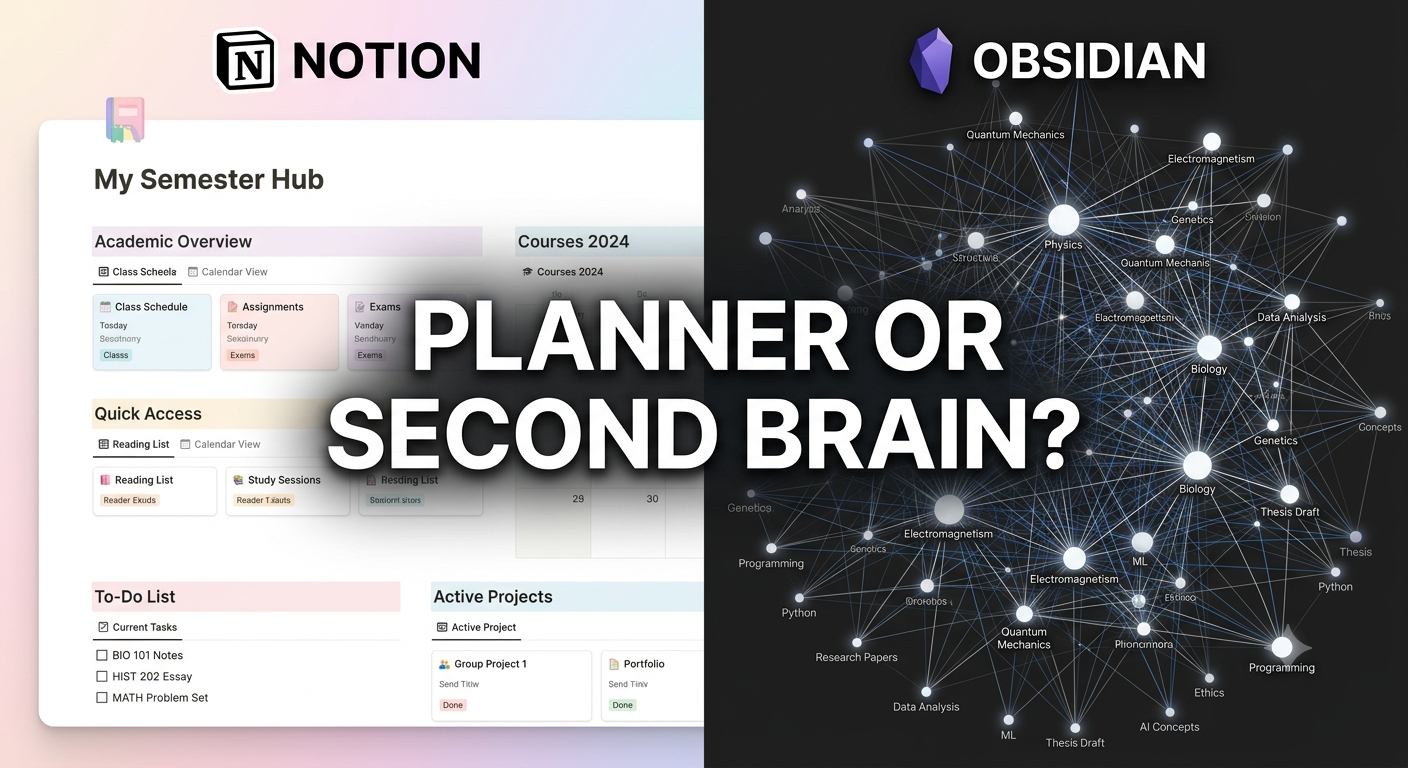
  • Notion vs. Obsidian: Which Knowledge Hub Actually Boosts Your Grades?


    When it comes to managing college coursework, two heavyweights dominate the productivity space: Notion and Obsidian. While both are free for students, they take fundamentally different approaches to handling information.
    Here is how they stack up for active learning and study management:


    1. Notion: The All-in-One Digital Planner
    Notion shines as a structured, visual database engine. It excels at keeping your life organized in a single, visually appealing dashboard.
    Best Feature for Students: Relational Databases. You can link a "Courses" database to a "Assignments Tracker" and a "Reading List" seamlessly.
    Learning Experience: Highly visual. Great for managing assignment deadlines, group project boards, and aesthetically pleasing syllabus hubs.
    The Downside: It’s cloud-dependent (no offline access without prior loading) and can tempt you to spend hours customizing aesthetics instead of actually studying.


    2. Obsidian: The Interconnected Brain
    Obsidian is a Markdown-based, offline-first tool designed around linked thinking. Instead of rigid folders, it connects your notes through bidirectional links.
    Best Feature for Students: The Graph View & Markdown Linking. By typing [[Concept]], you link ideas across different subjects—perfect for synthesis-heavy majors like history, medicine, or computer science.
    Learning Experience: Promotes deep, active recall and long-term retention. Local storage means your notes live on your machine forever, blazing fast and completely private.
    The Downside: Steeper initial learning curve and no built-in database tables out of the box (requires community plugins).
    The Verdict: Which Should You Pick?
    Choose Notion if you need a macro-level dashboard to organize deadlines, track assignments, and manage life alongside your studies.
    Choose Obsidian if you deal with complex, interconnected subjects where building long-term knowledge and deep synthesis matter more than aesthetic habit trackers.


    Key Takeaways
    Structure vs. Synthesis: Notion organizes your schedule and tasks; Obsidian organizes your thoughts and concepts.
    Friction Kills Consistency: Pick the tool that requires the least setup effort so you spend time learning, not tweaking layouts.
    Hybrid Power Move: Use Notion for project/assignment management and Obsidian for active lecture note-taking.


    CTA
    Want to level up your tech stack this semester?
    [Join Students in Tech] to share your favorite study setups, swap custom templates, and get exclusive tech workflows built by students, for students!
    Notion vs. Obsidian: Which Knowledge Hub Actually Boosts Your Grades? When it comes to managing college coursework, two heavyweights dominate the productivity space: Notion and Obsidian. While both are free for students, they take fundamentally different approaches to handling information. Here is how they stack up for active learning and study management: 1. Notion: The All-in-One Digital Planner Notion shines as a structured, visual database engine. It excels at keeping your life organized in a single, visually appealing dashboard. Best Feature for Students: Relational Databases. You can link a "Courses" database to a "Assignments Tracker" and a "Reading List" seamlessly. Learning Experience: Highly visual. Great for managing assignment deadlines, group project boards, and aesthetically pleasing syllabus hubs. The Downside: It’s cloud-dependent (no offline access without prior loading) and can tempt you to spend hours customizing aesthetics instead of actually studying. 2. Obsidian: The Interconnected Brain Obsidian is a Markdown-based, offline-first tool designed around linked thinking. Instead of rigid folders, it connects your notes through bidirectional links. Best Feature for Students: The Graph View & Markdown Linking. By typing [[Concept]], you link ideas across different subjects—perfect for synthesis-heavy majors like history, medicine, or computer science. Learning Experience: Promotes deep, active recall and long-term retention. Local storage means your notes live on your machine forever, blazing fast and completely private. The Downside: Steeper initial learning curve and no built-in database tables out of the box (requires community plugins). The Verdict: Which Should You Pick? Choose Notion if you need a macro-level dashboard to organize deadlines, track assignments, and manage life alongside your studies. Choose Obsidian if you deal with complex, interconnected subjects where building long-term knowledge and deep synthesis matter more than aesthetic habit trackers. Key Takeaways Structure vs. Synthesis: Notion organizes your schedule and tasks; Obsidian organizes your thoughts and concepts. Friction Kills Consistency: Pick the tool that requires the least setup effort so you spend time learning, not tweaking layouts. Hybrid Power Move: Use Notion for project/assignment management and Obsidian for active lecture note-taking. CTA Want to level up your tech stack this semester? [Join Students in Tech] to share your favorite study setups, swap custom templates, and get exclusive tech workflows built by students, for students!
    0 Reacties 0 aandelen 1K Views 0 voorbeeld
  • How to Build a Tech Portfolio That Gets You Hired (Without Any Work Experience)


    Most students make the same mistake: they fill their GitHub or portfolio site with tutorial projects—like basic weather apps, simple to-do lists, or cloned landing pages. Hiring managers recognize these immediately and scroll right past.
    To build a portfolio that actually commands attention from recruiters and hiring managers, follow this three-step blueprint:


    1. Build "Pain Point" Projects, Not Tutorial Clones
    Instead of following a video guide step-by-step, identify a minor inconvenience in your daily student life or local community and build a software solution for it.
    Bad Example: A generic library management system from a class assignment.
    Good Example: A custom web scraper that alerts your group chat the second a closed college class section opens up.


    2. Document the "Why," Not Just the Code
    Employers hire problem solvers, not syntax memorizers. For every project featured on your portfolio, include a clear README file or project write-up that answers:
    The Problem: What specific issue were you trying to solve?
    Technical Decisions: Why did you choose framework X over framework Y?
    Trade-offs & Challenges: What broke, and how did you debug it?


    3. Deploy and Make It Accessible
    A GitHub repository with code is fine, but a live, working link is infinitely better.
    Deploy your web apps using free hosting platforms like Vercel, Render, or Netlify.
    Include a short (30 to 60-second) video demo or GIF at the top of your repository so recruiters can see your project in action instantly without having to clone and run your code locally.


    Key Takeaways
    Ditch the Clones: One unique, self-driven project easily outweighs five step-by-step tutorial projects.
    Show Your Thinking: Document your architecture choices and debugging process to demonstrate engineering maturity.
    Make It Live: Always provide a live demo or video walkthrough so non-technical screeners can see your work in seconds.


    CTA
    Ready to land your dream tech role?
    [Join Students in Tech] to get your portfolio reviewed by industry mentors, collaborate on open-source projects, and connect with fellow student builders!
    How to Build a Tech Portfolio That Gets You Hired (Without Any Work Experience) Most students make the same mistake: they fill their GitHub or portfolio site with tutorial projects—like basic weather apps, simple to-do lists, or cloned landing pages. Hiring managers recognize these immediately and scroll right past. To build a portfolio that actually commands attention from recruiters and hiring managers, follow this three-step blueprint: 1. Build "Pain Point" Projects, Not Tutorial Clones Instead of following a video guide step-by-step, identify a minor inconvenience in your daily student life or local community and build a software solution for it. Bad Example: A generic library management system from a class assignment. Good Example: A custom web scraper that alerts your group chat the second a closed college class section opens up. 2. Document the "Why," Not Just the Code Employers hire problem solvers, not syntax memorizers. For every project featured on your portfolio, include a clear README file or project write-up that answers: The Problem: What specific issue were you trying to solve? Technical Decisions: Why did you choose framework X over framework Y? Trade-offs & Challenges: What broke, and how did you debug it? 3. Deploy and Make It Accessible A GitHub repository with code is fine, but a live, working link is infinitely better. Deploy your web apps using free hosting platforms like Vercel, Render, or Netlify. Include a short (30 to 60-second) video demo or GIF at the top of your repository so recruiters can see your project in action instantly without having to clone and run your code locally. Key Takeaways Ditch the Clones: One unique, self-driven project easily outweighs five step-by-step tutorial projects. Show Your Thinking: Document your architecture choices and debugging process to demonstrate engineering maturity. Make It Live: Always provide a live demo or video walkthrough so non-technical screeners can see your work in seconds. CTA Ready to land your dream tech role? [Join Students in Tech] to get your portfolio reviewed by industry mentors, collaborate on open-source projects, and connect with fellow student builders!
    0 Reacties 0 aandelen 956 Views 0 voorbeeld
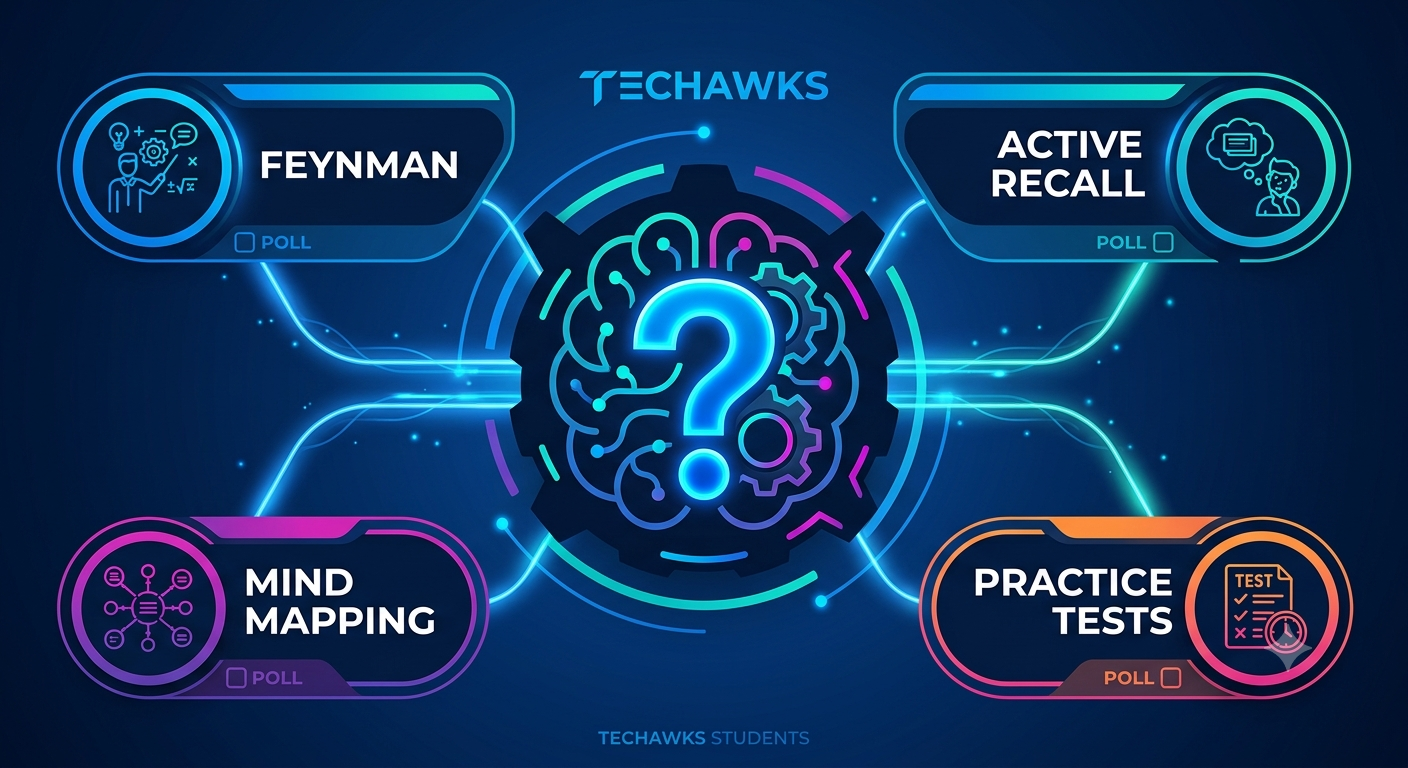
  • Which Study Method Actually Helps You Retain 80%+ of What You Learn?


    Not all study strategies are created equal. Cognitive science shows that passive review (like highlighting or re-reading) gives a false sense of mastery, while active techniques build long-term memory pathways.


    Quick Poll: Which active study technique is your go-to for tough subjects?
    A) The Feynman Technique (Explaining complex concepts in plain language as if teaching a beginner)
    B) Active Recall & Spaced Repetition (Testing yourself with flashcards/Anki over increasing intervals)
    C) Practice Testing & Past Papers (Simulating real exam conditions under a time limit)
    D) Mind Mapping & Concept Linking (Visually mapping how different topics connect to one another)


    Why Strategy Beats Hours Spent
    No matter which option you voted for, here is how to optimize it for maximum efficiency:
    If you picked Feynman: Teach a classmate or write your notes without using jargon. If you get stuck explaining a step simply, that’s where your knowledge gap lives.
    If you picked Active Recall: Stop reading notes line-by-line. Instead, write down key questions at the top of a page and try answering them from memory before checking your answer.
    If you picked Practice Tests: Use errors as a diagnostic tool. Don't just check if an answer is right or wrong; write down why you got it wrong in an "Error Log."
    If you picked Concept Mapping: Focus on relationships. Draw arrows between topics and write action verbs over the arrows explaining how Topic A causes or influences Topic B.


    Key Takeaways
    Ditch Passive Reading: Highlighting feels productive, but testing your memory is what builds lasting retention.
    Identify Knowledge Gaps: The best study method is the one that forces you to confront what you don't know before test day.
    Combine Methods: Use Feynman to understand, Concept Mapping to connect, and Spaced Repetition to remember long-term.


    CTA
    Want to master smarter study workflows?
    [Join Students in Tech] to unlock high-yield study templates, connect with top-performing peer mentors, and swap learning strategies with fellow tech students!
    Which Study Method Actually Helps You Retain 80%+ of What You Learn? Not all study strategies are created equal. Cognitive science shows that passive review (like highlighting or re-reading) gives a false sense of mastery, while active techniques build long-term memory pathways. Quick Poll: Which active study technique is your go-to for tough subjects? A) The Feynman Technique (Explaining complex concepts in plain language as if teaching a beginner) B) Active Recall & Spaced Repetition (Testing yourself with flashcards/Anki over increasing intervals) C) Practice Testing & Past Papers (Simulating real exam conditions under a time limit) D) Mind Mapping & Concept Linking (Visually mapping how different topics connect to one another) Why Strategy Beats Hours Spent No matter which option you voted for, here is how to optimize it for maximum efficiency: If you picked Feynman: Teach a classmate or write your notes without using jargon. If you get stuck explaining a step simply, that’s where your knowledge gap lives. If you picked Active Recall: Stop reading notes line-by-line. Instead, write down key questions at the top of a page and try answering them from memory before checking your answer. If you picked Practice Tests: Use errors as a diagnostic tool. Don't just check if an answer is right or wrong; write down why you got it wrong in an "Error Log." If you picked Concept Mapping: Focus on relationships. Draw arrows between topics and write action verbs over the arrows explaining how Topic A causes or influences Topic B. Key Takeaways Ditch Passive Reading: Highlighting feels productive, but testing your memory is what builds lasting retention. Identify Knowledge Gaps: The best study method is the one that forces you to confront what you don't know before test day. Combine Methods: Use Feynman to understand, Concept Mapping to connect, and Spaced Repetition to remember long-term. CTA Want to master smarter study workflows? [Join Students in Tech] to unlock high-yield study templates, connect with top-performing peer mentors, and swap learning strategies with fellow tech students!
    0 Reacties 0 aandelen 877 Views 0 voorbeeld
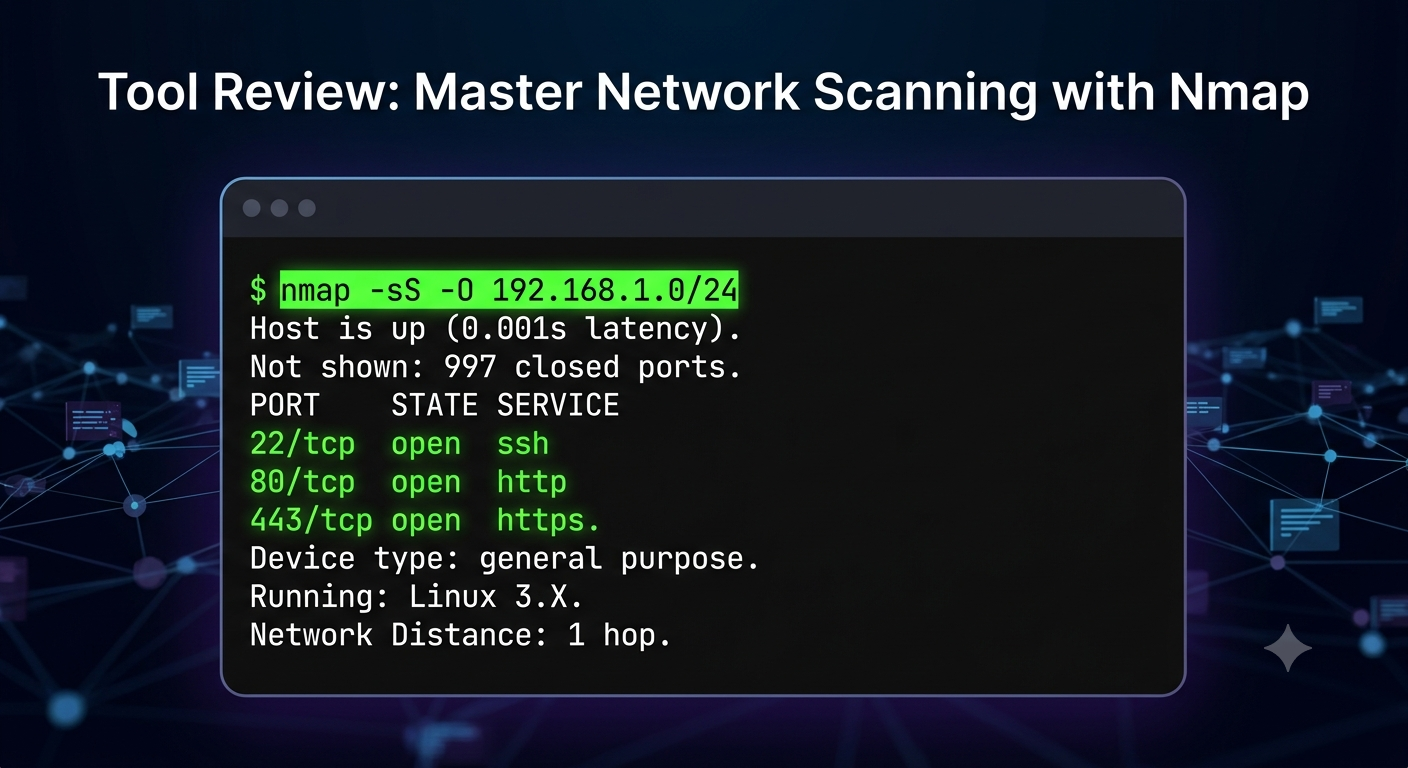
  • Nmap Demystified: The Essential Recon Tool Every Beginner Security Analyst Needs
    When starting out in cybersecurity, the sheer number of tools can feel overwhelming. However, network reconnaissance remains the cornerstone of both offensive and defensive operations. Nmap (Network Mapper) stands out because it provides deep visibility into open ports, running services, and potential vulnerabilities—all from a simple command line.


    Here is a practical, step-by-step breakdown of how to use Nmap effectively for network discovery:


    1. Basic Host Discovery
    Avoid noise by verifying which devices are alive on the network before performing heavy scans.
    Command: nmap -sn 192.168.1.0/24
    What it does: Performs a ping sweep across the subnet without scanning individual ports, saving you time.


    2. Service and Version Detection
    Knowing a port is open isn't enough; you need to know what is listening on it to identify outdated software.
    Command: nmap -sV 192.168.1.50
    What it does: Probes open ports to determine the exact service name and version number running on the target host.


    3. OS Fingerprinting
    Understanding the operating system helps security teams tailor patch management and threat modeling.
    Command: nmap -O 192.168.1.50
    What it does: Analyzes TCP/IP stack responses to identify the underlying OS (Linux, Windows, embedded systems, etc.).


    Pro Tip for Learners
    Combine key flags into a single, comprehensive scan during lab environments:
    nmap -sV -sC -O -p- 192.168.1.50
    (Scans all 65,535 ports, runs default security scripts, detects service versions, and identifies the OS).


    Key Takeaways
    Recon comes first: Accurate network scanning forms the foundation of all defensive and penetration testing workflows.
    Precision matters: Use host discovery (-sn) to map subnets quickly before running detailed service scans.
    Version tracking: Identifying specific software versions via -sV is critical for spotting unpatched vulnerabilities.
    Practice safely: Always practice your Nmap skills on authorized labs like TryHackMe, Hack The Box, or custom virtual machines.


    CTA
    Ready to move from basic scans to hands-on threat hunting and penetration testing?
    πŸ‘‰ Join our Cybersecurity & Ethical Hacking community today to access structured learning paths, practical labs, and mentorship!
    Nmap Demystified: The Essential Recon Tool Every Beginner Security Analyst Needs When starting out in cybersecurity, the sheer number of tools can feel overwhelming. However, network reconnaissance remains the cornerstone of both offensive and defensive operations. Nmap (Network Mapper) stands out because it provides deep visibility into open ports, running services, and potential vulnerabilities—all from a simple command line. Here is a practical, step-by-step breakdown of how to use Nmap effectively for network discovery: 1. Basic Host Discovery Avoid noise by verifying which devices are alive on the network before performing heavy scans. Command: nmap -sn 192.168.1.0/24 What it does: Performs a ping sweep across the subnet without scanning individual ports, saving you time. 2. Service and Version Detection Knowing a port is open isn't enough; you need to know what is listening on it to identify outdated software. Command: nmap -sV 192.168.1.50 What it does: Probes open ports to determine the exact service name and version number running on the target host. 3. OS Fingerprinting Understanding the operating system helps security teams tailor patch management and threat modeling. Command: nmap -O 192.168.1.50 What it does: Analyzes TCP/IP stack responses to identify the underlying OS (Linux, Windows, embedded systems, etc.). Pro Tip for Learners Combine key flags into a single, comprehensive scan during lab environments: nmap -sV -sC -O -p- 192.168.1.50 (Scans all 65,535 ports, runs default security scripts, detects service versions, and identifies the OS). Key Takeaways Recon comes first: Accurate network scanning forms the foundation of all defensive and penetration testing workflows. Precision matters: Use host discovery (-sn) to map subnets quickly before running detailed service scans. Version tracking: Identifying specific software versions via -sV is critical for spotting unpatched vulnerabilities. Practice safely: Always practice your Nmap skills on authorized labs like TryHackMe, Hack The Box, or custom virtual machines. CTA Ready to move from basic scans to hands-on threat hunting and penetration testing? πŸ‘‰ Join our Cybersecurity & Ethical Hacking community today to access structured learning paths, practical labs, and mentorship!
    0 Reacties 0 aandelen 699 Views 0 voorbeeld
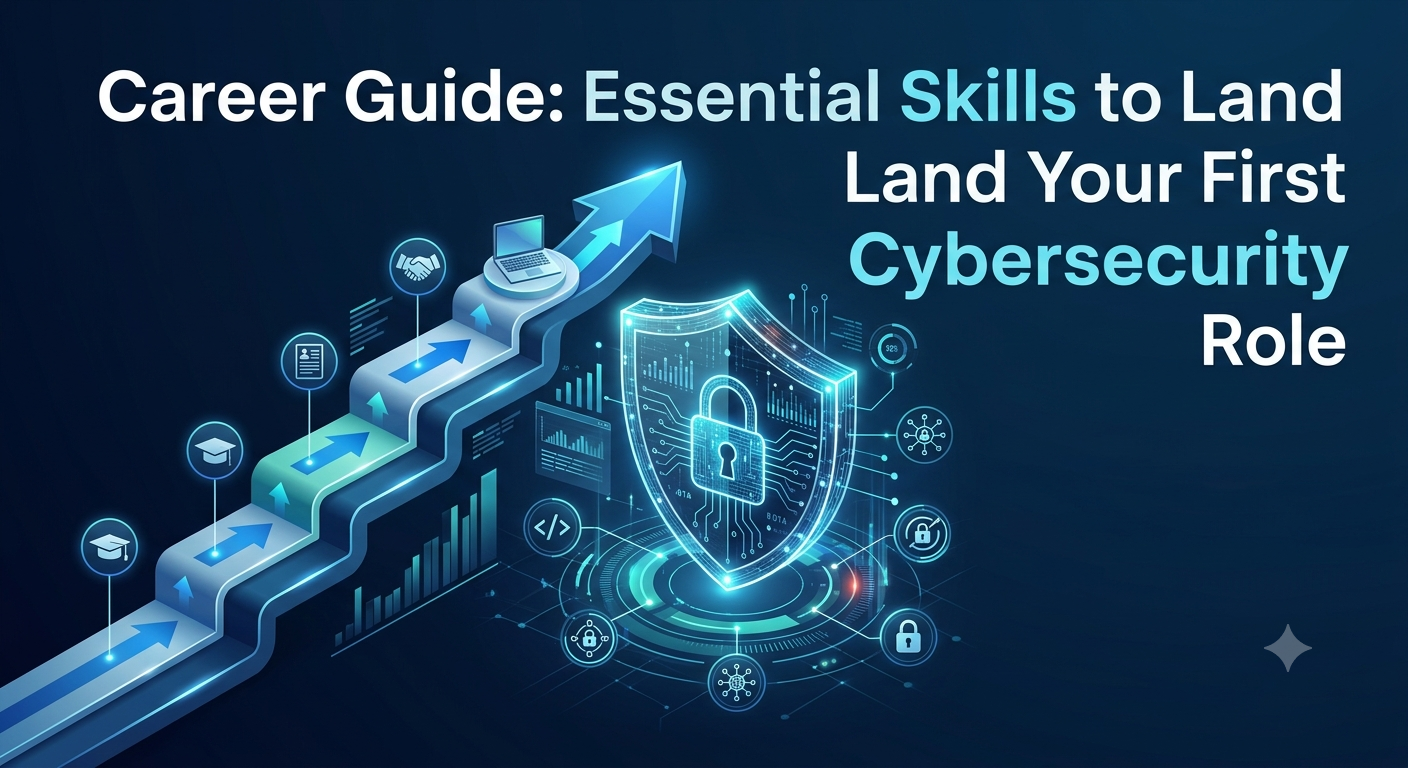
  • Breaking Into Cybersecurity: 4 Non-Negotiable Skills You Need (That Aren't Just Coding)
    The cybersecurity field is growing rapidly, but "entry-level" roles often feel notoriously hard to land. The secret isn't knowing how to use every tool on GitHub; it’s building a solid foundation in fundamental principles and showing practical problem-solving ability.


    If you want to stand out to recruiters and land your first role, here is the roadmap to focus your time effectively:


    1. Master Networking Fundamentals First
    Before you can secure a network, you must understand how data moves across it.
    Learn the OSI model, TCP/IP stack, DNS, DHCP, and subnets inside out.
    Practice analyzing packet captures with tools like Wireshark to see live traffic in action.


    2. Get Comfortable with the Command Line
    Security professionals spend a significant portion of their day inside a terminal.
    Build proficiency in both Linux (Bash) and Windows (PowerShell).
    Focus on file navigation, process management, user permissions, and basic scripting to automate repetitive tasks.


    3. Learn How Systems Fail (Think Like an Attacker)
    Understanding defensive controls like firewalls and SIEMs is crucial, but you also need to grasp why vulnerabilities exist.
    Study common vulnerability classes, such as the OWASP Top 10 for web applications.
    Learn how misconfigurations—rather than complex zero-day exploits—are often the primary cause of breaches.


    4. Build a Public Portfolio
    Certifications prove you can pass a test; hands-on projects prove you can do the work.
    Document your home lab setups, write walkthroughs of labs (from platforms like TryHackMe or Hack The Box), or contribute to open-source security projects.
    Share your findings on GitHub or LinkedIn to build proof of work.


    Key Takeaways
    Fundamentals over frameworks: Strong networking and command-line basics will carry you further than memorizing specific tool syntax.
    Hands-on proof matters: A documented lab project or technical write-up sets you apart from candidates with passive resume credentials.
    Continuous learning: Security evolves daily, so showing curiosity and a consistent habit of self-directed practice is key.


    CTA
    Ready to build your roadmap and turn theoretical knowledge into real-world skills?
    πŸ‘‰ Join our Cybersecurity & Ethical Hacking community today to connect with peers, get practical lab guidance, and fast-track your career!
    Breaking Into Cybersecurity: 4 Non-Negotiable Skills You Need (That Aren't Just Coding) The cybersecurity field is growing rapidly, but "entry-level" roles often feel notoriously hard to land. The secret isn't knowing how to use every tool on GitHub; it’s building a solid foundation in fundamental principles and showing practical problem-solving ability. If you want to stand out to recruiters and land your first role, here is the roadmap to focus your time effectively: 1. Master Networking Fundamentals First Before you can secure a network, you must understand how data moves across it. Learn the OSI model, TCP/IP stack, DNS, DHCP, and subnets inside out. Practice analyzing packet captures with tools like Wireshark to see live traffic in action. 2. Get Comfortable with the Command Line Security professionals spend a significant portion of their day inside a terminal. Build proficiency in both Linux (Bash) and Windows (PowerShell). Focus on file navigation, process management, user permissions, and basic scripting to automate repetitive tasks. 3. Learn How Systems Fail (Think Like an Attacker) Understanding defensive controls like firewalls and SIEMs is crucial, but you also need to grasp why vulnerabilities exist. Study common vulnerability classes, such as the OWASP Top 10 for web applications. Learn how misconfigurations—rather than complex zero-day exploits—are often the primary cause of breaches. 4. Build a Public Portfolio Certifications prove you can pass a test; hands-on projects prove you can do the work. Document your home lab setups, write walkthroughs of labs (from platforms like TryHackMe or Hack The Box), or contribute to open-source security projects. Share your findings on GitHub or LinkedIn to build proof of work. Key Takeaways Fundamentals over frameworks: Strong networking and command-line basics will carry you further than memorizing specific tool syntax. Hands-on proof matters: A documented lab project or technical write-up sets you apart from candidates with passive resume credentials. Continuous learning: Security evolves daily, so showing curiosity and a consistent habit of self-directed practice is key. CTA Ready to build your roadmap and turn theoretical knowledge into real-world skills? πŸ‘‰ Join our Cybersecurity & Ethical Hacking community today to connect with peers, get practical lab guidance, and fast-track your career!
    0 Reacties 0 aandelen 649 Views 0 voorbeeld